跳转到主内容
加入维修社区 - 创建账户

此翻译可能不反映源指南的最新更新。 帮助更新翻译查看源指南

AirPods电池更换

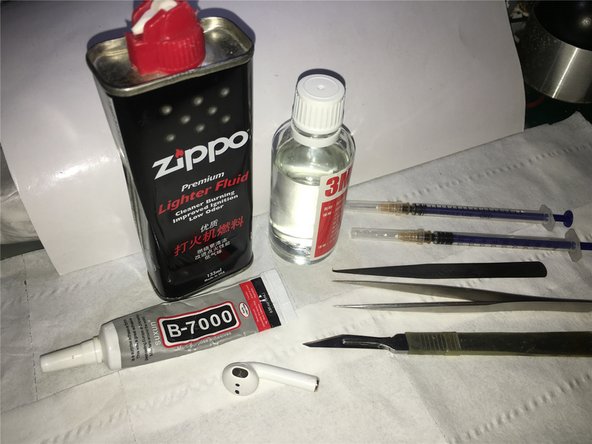
你所需要的

视频概述

  1. AirPods电池更换, 电池: 步骤 1 中的图像 1,3 AirPods电池更换, 电池: 步骤 1 中的图像 2,3 AirPods电池更换, 电池: 步骤 1 中的图像 3,3
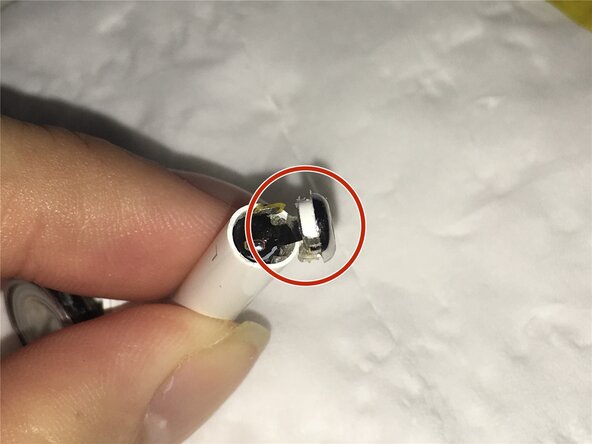
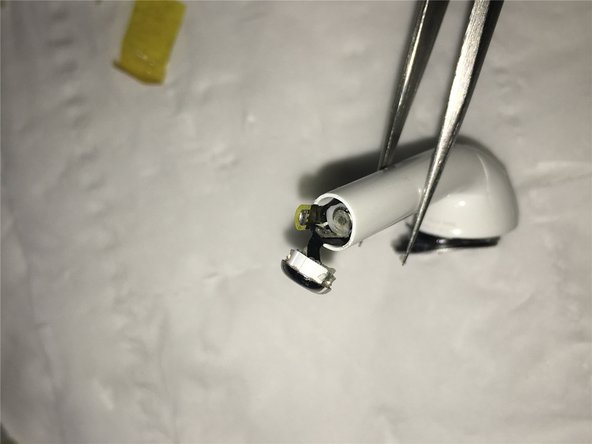
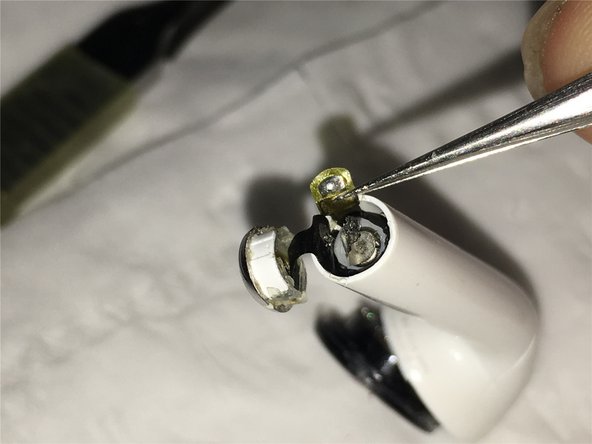
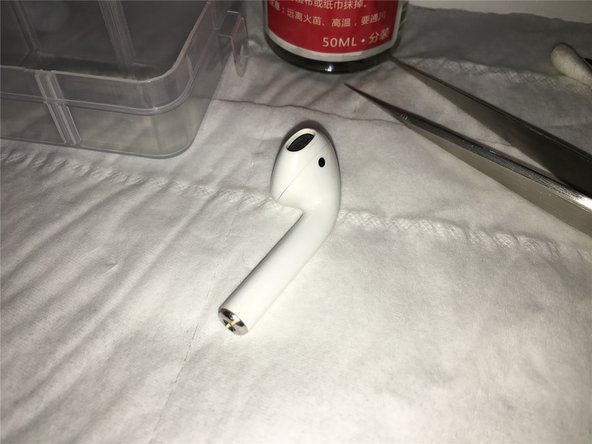
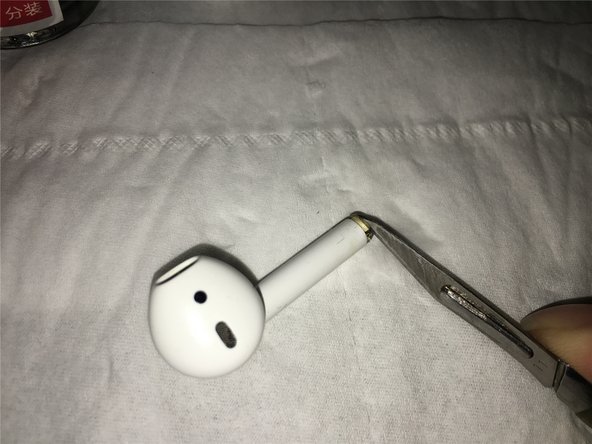
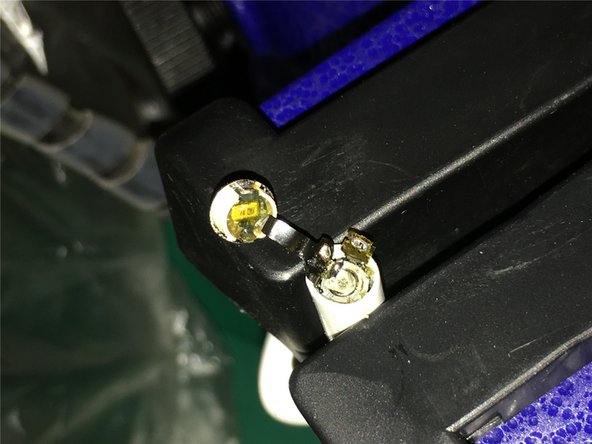
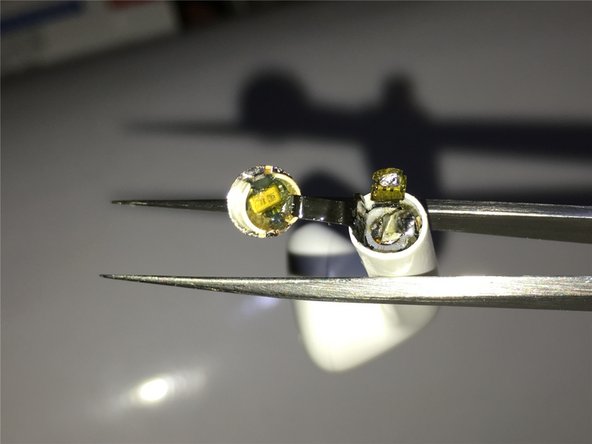
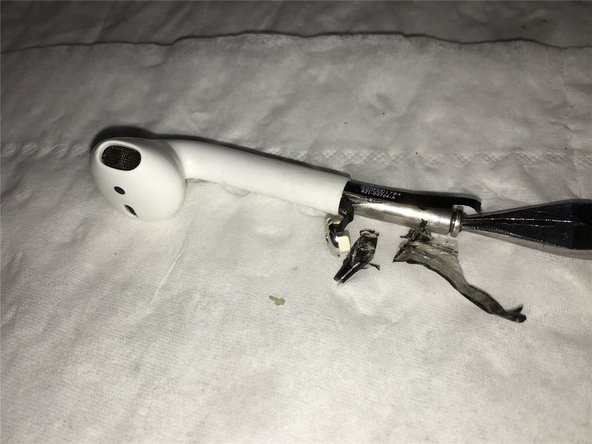
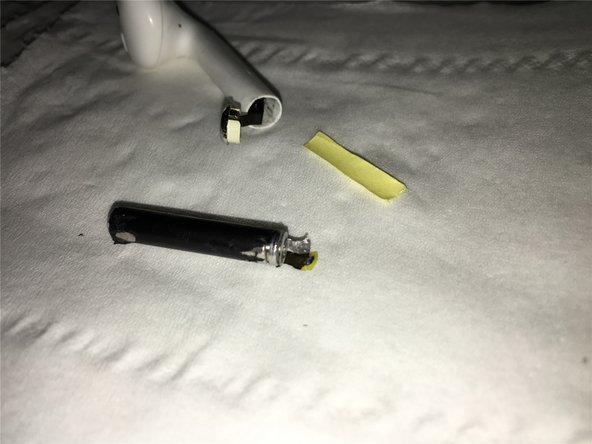
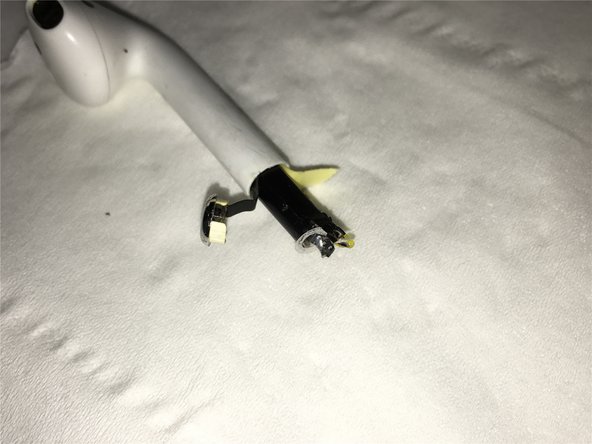
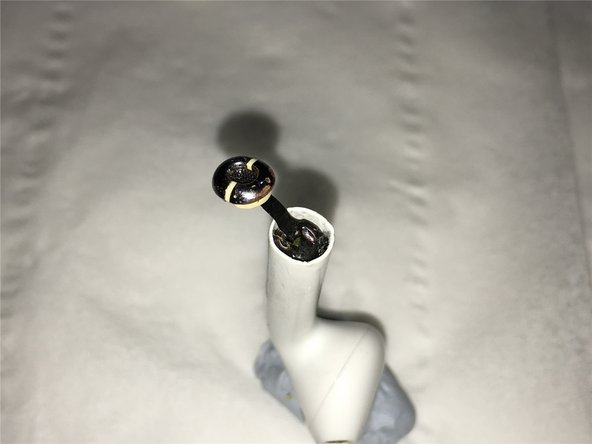
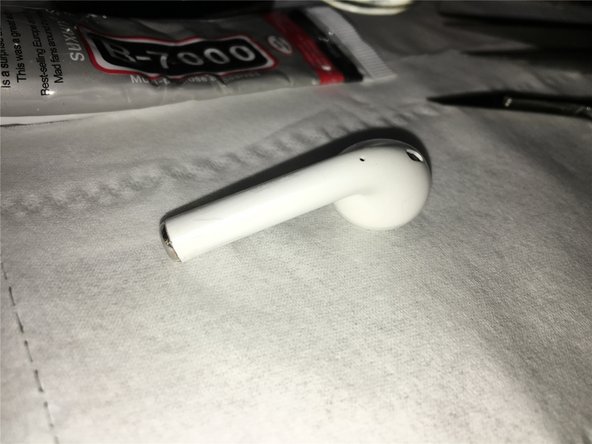
    • 用工具撬开AirPod的底部。

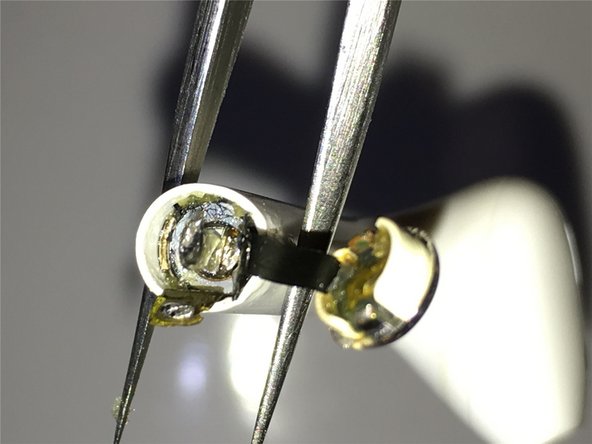
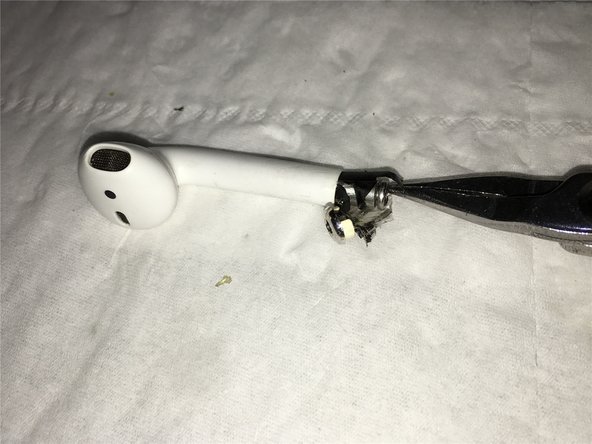
    • 第二张和第三张图片展示了操作后的预期效果。

  2. AirPods电池更换: 步骤 2 中的图像 1,3 AirPods电池更换: 步骤 2 中的图像 2,3 AirPods电池更换: 步骤 2 中的图像 3,3
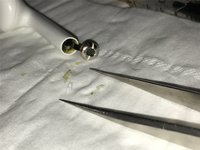
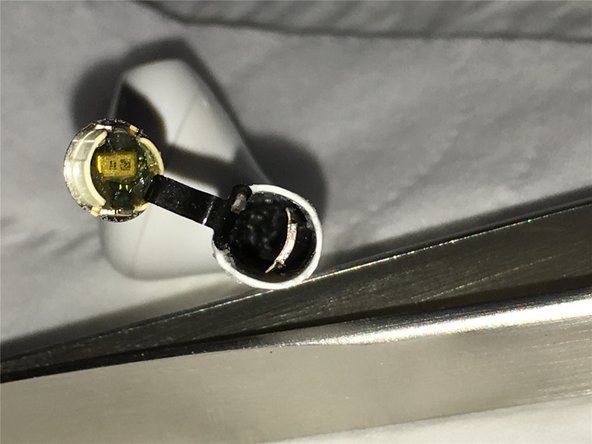
    • 这一部分是对电池底部充电触点部分进行拆解细节的展示。

  3. AirPods电池更换: 步骤 3 中的图像 1,3 AirPods电池更换: 步骤 3 中的图像 2,3 AirPods电池更换: 步骤 3 中的图像 3,3
    • 继续拆卸充电部件.

  4. AirPods电池更换: 步骤 4 中的图像 1,3 AirPods电池更换: 步骤 4 中的图像 2,3 AirPods电池更换: 步骤 4 中的图像 3,3
    • 加热AirPods以助于取出电池。这对去除黏合剂有帮助

    • 切勿过度加热,否则电池可能会爆炸

    • 这或许并不精准。我只是来修正语法的。我没有AirPods 。对此持保留态度,具体请自行判断。

  5. AirPods电池更换: 步骤 5 中的图像 1,3 AirPods电池更换: 步骤 5 中的图像 2,3 AirPods电池更换: 步骤 5 中的图像 3,3
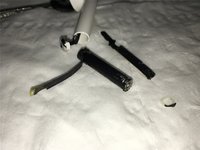
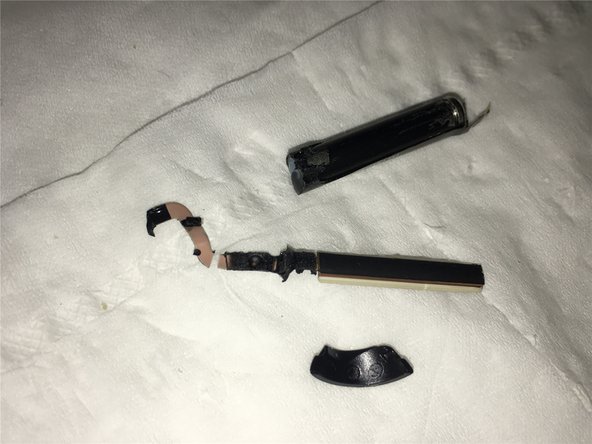
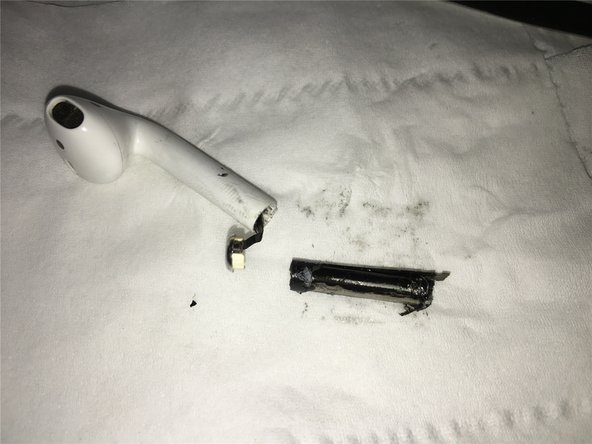
    • 可以看出,在第一次尝试练习拆卸电池时,信号天线组件已被拔出,导致天线组件损坏。

  6. AirPods电池更换: 步骤 6 中的图像 1,3 AirPods电池更换: 步骤 6 中的图像 2,3 AirPods电池更换: 步骤 6 中的图像 3,3
    • 从这里你可以看到,电池的负极是从顶部连接到底部的充电位置,而且天线部分的内部被粘在了电池上。

  7. AirPods电池更换: 步骤 7 中的图像 1,3 AirPods电池更换: 步骤 7 中的图像 2,3 AirPods电池更换: 步骤 7 中的图像 3,3
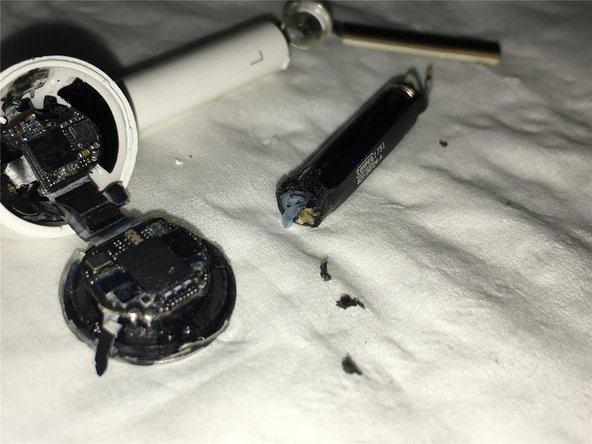
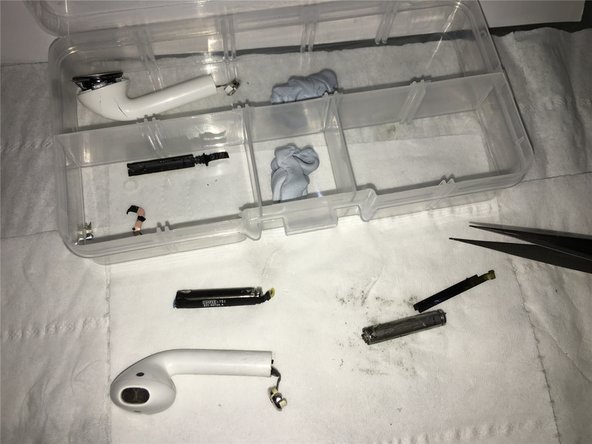
    • 电池拆卸后 AirPods 原件的特写,供彻底拆解底部时参考

  8. AirPods电池更换: 步骤 8 中的图像 1,3 AirPods电池更换: 步骤 8 中的图像 2,3 AirPods电池更换: 步骤 8 中的图像 3,3
    • 好吧,开始正式的 AirPods 电池更换和拆解。加热后,使用锋利的刀片滑开底部的充电麦克风单元

  9. AirPods电池更换: 步骤 9 中的图像 1,3 AirPods电池更换: 步骤 9 中的图像 2,3 AirPods电池更换: 步骤 9 中的图像 3,3
    • 取出后,请注意内部的测量麦克风线缆,不要弄断它,轻轻打开并将它放入解胶剂中。

  10. AirPods电池更换: 步骤 10 中的图像 1,3 AirPods电池更换: 步骤 10 中的图像 2,3 AirPods电池更换: 步骤 10 中的图像 3,3
    • 同时,准备好 煤油以备下次发泡溶解使用,然后清理内部的胶水。

  11. AirPods电池更换: 步骤 11 中的图像 1,3 AirPods电池更换: 步骤 11 中的图像 2,3 AirPods电池更换: 步骤 11 中的图像 3,3
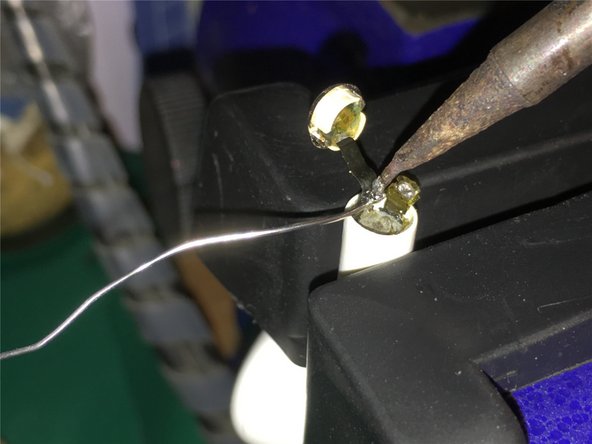
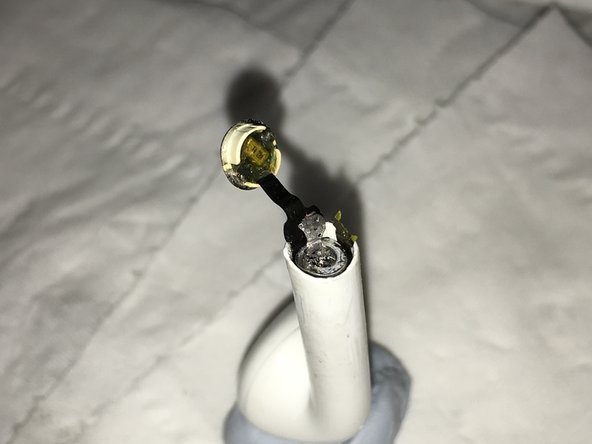
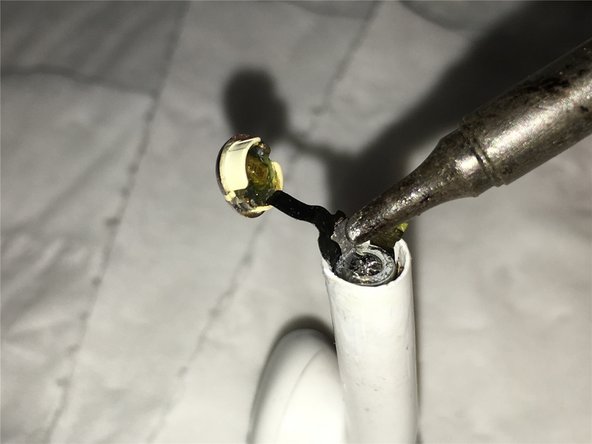
    • 准备好所需的拆解和焊接工具,固定 AirPods,添加少量焊锡以加快热传导,这样更方便拆下底部的电池线缆

  12. AirPods电池更换: 步骤 12 中的图像 1,3 AirPods电池更换: 步骤 12 中的图像 2,3 AirPods电池更换: 步骤 12 中的图像 3,3
    • 以下是在移除电池负极后的部分特写。

  13. AirPods电池更换: 步骤 13 中的图像 1,3 AirPods电池更换: 步骤 13 中的图像 2,3 AirPods电池更换: 步骤 13 中的图像 3,3
    • 改变方向,继续倾斜下部线缆,并用焊锡铁焊接电池正极。

  14. AirPods电池更换: 步骤 14 中的图像 1,3 AirPods电池更换: 步骤 14 中的图像 2,3 AirPods电池更换: 步骤 14 中的图像 3,3
    • 电池正极下方的特写

  15. AirPods电池更换: 步骤 15 中的图像 1,3 AirPods电池更换: 步骤 15 中的图像 2,3 AirPods电池更换: 步骤 15 中的图像 3,3
    • 使用注射器将胶水注入电池外侧周围,等待橡胶泡沫变软

  16. AirPods电池更换: 步骤 16 中的图像 1,3 AirPods电池更换: 步骤 16 中的图像 2,3 AirPods电池更换: 步骤 16 中的图像 3,3
    • 使用镊子将电池外侧的天线左右晃动,然后滴入脱胶剂,最后将一片薄塑料片插入电池和天线中间,上下移动,以松开电池和天线。

  17. AirPods电池更换: 步骤 17 中的图像 1,3 AirPods电池更换: 步骤 17 中的图像 2,3 AirPods电池更换: 步骤 17 中的图像 3,3
    • 最后,使用热风枪加热耳机外壳上部周围,以软化内部的填充橡胶。加热后,再次滴入溶剂和煤油。最后,使用钩子和钳子慢慢将电池拉出。

  18. AirPods电池更换: 步骤 18 中的图像 1,3 AirPods电池更换: 步骤 18 中的图像 2,3 AirPods电池更换: 步骤 18 中的图像 3,3
    • 最后,电池被完美拆卸下来了,你可以看到AirPods中充电部分、麦克风部分的线缆以及天线电缆的底部

  19. AirPods电池更换: 步骤 19 中的图像 1,3 AirPods电池更换: 步骤 19 中的图像 2,3 AirPods电池更换: 步骤 19 中的图像 3,3
    • 准备好替换之前从损坏的AirPods中拆下的电池,并准备背面的粘贴胶纸以裁剪合适的尺寸

  20. AirPods电池更换: 步骤 20 中的图像 1,3 AirPods电池更换: 步骤 20 中的图像 2,3 AirPods电池更换: 步骤 20 中的图像 3,3
    • 将裁剪好的纸片插入电池线缆和天线线缆中间,以便于电池插入并减少摩擦。

  21. AirPods电池更换: 步骤 21 中的图像 1,3 AirPods电池更换: 步骤 21 中的图像 2,3 AirPods电池更换: 步骤 21 中的图像 3,3
    • 然后使用之前拆下的损坏电池芯,将装载好的电池按下,最后焊接电池的正极。注意不要长时间焊接,要快速焊接,否则会损坏电池。

  22. AirPods电池更换: 步骤 22 中的图像 1,3 AirPods电池更换: 步骤 22 中的图像 2,3 AirPods电池更换: 步骤 22 中的图像 3,3
    • 最后,电池的负极用B-7000胶水焊接并固定,但为了更稳固,建议使用AB胶或环氧树脂胶。

  23. AirPods电池更换: 步骤 23 中的图像 1,3 AirPods电池更换: 步骤 23 中的图像 2,3 AirPods电池更换: 步骤 23 中的图像 3,3
    • 用固定夹固定粘好的AirPods,等待胶水固化,或者提升温度以加速胶水固定线路

  24. AirPods电池更换: 步骤 24 中的图像 1,1
    • 安装并测试充电功能,播放一些音乐,检查以确保蓝牙信号连接是否稳定,最后确认它至少能够正常使用三小时。

结论

由于初代 AirPods 使用时间较长,现在左耳耳机续航已不足 30 分钟。而右耳因丢失更换过,导致左右耳电池性能差异巨大。这种不均衡严重缩短了整体使用时长,影响了正常使用。

最近我偶然发现一个损坏的左 AirPod,经测试其电池性能依然良好。这促使我尝试通过拆解旧 AirPod 来更换电池。经过多次实践,最终成功完成了电池更换。

现将此维修教程分享给大家,希望能帮助到 iFixit 或其他平台上遇到相同问题的朋友。以下是详细操作步骤:

18等其他人完成本指南。

由衷感谢以下译者:

en zh

10%

这些译者帮助我们修补全世界! 您也想加入吗?
开始翻译 ›

deng lei

于08/03/18注册

3,409 声望

创作了2篇指南

10指南评论

Where I buy the battery for replacement, and how under what name?

Leandro Rojas - 回复 分享

I'm using a damaged headset, but the battery is good, and I took it out for repair.  If you want a brand new original, it is only available in certain channels in China.

Deng lei - 分享

Where can i buy an airpods battery…???

My location is Bangladesh,Asia.

Can i buy airpods battery in online???

Sk Ezaz - 回复 分享

CaptainDrone - 分享

Hola amigo, excelente el tutorial, sabes donde puedo comprar la batería? he buscado en canales de china pero no encuentro… mil gracias, espero tu respuesta.

Josemaria Puerta - 回复 分享

添加评论

浏览统计数据:

过去 24 小时: 33

过去 7 天: 196

过去 30 天: 812

总计 74,085