跳转到主内容
加入维修社区 - 创建账户

4Sight 9 Battery Replacement

你所需要的

    1. 4Sight 9 Battery Replacement, Cover: 步骤 1 中的图像 1,2 4Sight 9 Battery Replacement, Cover: 步骤 1 中的图像 2,2
      • Place the tablet on its side so that the two screws are facing upward.

      • Remove two 1 mm screws from the left side of the tablet using a Phillips #00 screwdriver.

      询问修复机器人

      添加评论

    2. 4Sight 9 Battery Replacement: 步骤 2 中的图像 1,1
      • Pry the case away from the device slowly by sliding a plastic opening tool along the device.

      • Once loosened, use your hands to separate the case from the device.

      询问修复机器人

      添加评论

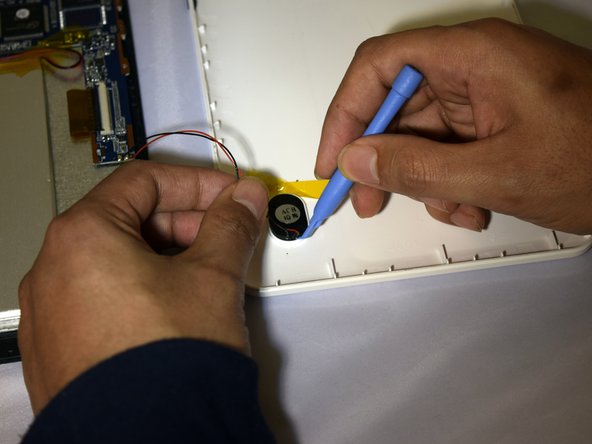
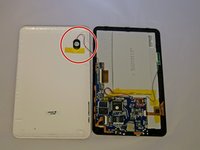
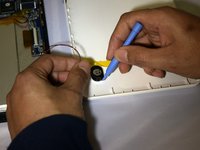
    3. 4Sight 9 Battery Replacement: 步骤 3 中的图像 1,2 4Sight 9 Battery Replacement: 步骤 3 中的图像 2,2
      • Hold the positive and negative wires as close as possible to the speaker.

      • Use an opening tool and fingers to simultaneously lift the speaker from the cover.

      询问修复机器人

      添加评论

    1. 4Sight 9 Battery Replacement, Battery: 步骤 4 中的图像 1,1
      • Use soldering gun to remove the positive and negative wires connecting the battery to the circuit board.

      • For a complete guide on how to solder, click here.

      询问修复机器人

      添加评论

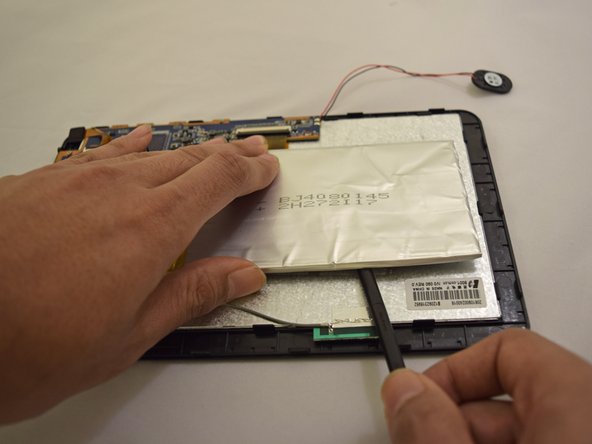
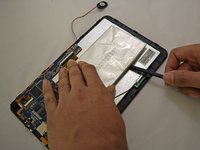
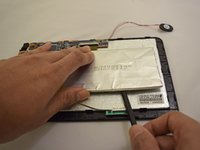
    2. 4Sight 9 Battery Replacement: 步骤 5 中的图像 1,2 4Sight 9 Battery Replacement: 步骤 5 中的图像 2,2
      • Insert plastic prying tool under upper-hand corner of battery and slide back and forth.

      • Once loosened, insert plastic prying tool under lower-hand corner and repeat sliding action.

      • Repeat previous actions until battery comes loose from device.

      询问修复机器人

      添加评论

结论

To reassemble your device, follow these instructions in reverse order.

取消:我没有完成这个指南。

7等其他人完成本指南。

0指南评论

添加评论

浏览统计数据:

过去 24 小时: 3

过去 7 天: 12

过去 30 天: 42

总计 2,238