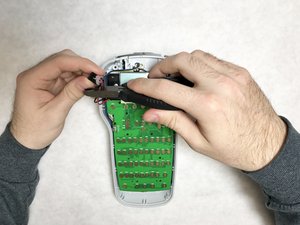
充电口
此翻译由机器生成,尚未经过人工审核。会说这种语言吗? 审核此翻译。
|
17个答案 20 分 |
Ribbon doesn't move when printing |
|
2个答案 1 分 |
Why can't I change the font size over 12 |
|
6个答案 6 分 |
Why is my device not turning on? |
|
1个答案 0 分 |
Dymo Label Maker 160 How to reset double lines? |
下方列出了维修此类别设备所需的主要工具。当然,并不是所有维修流程都需要备齐这个清单。
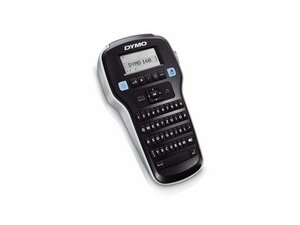
DYMO LabelManager 160 发布于 2011 年,是该系列的初代产品,被认为是 DYMO 制造的最好的手持设备。
DYMO LabelManager 160 可以打印多种不同字体大小和样式的标签。该设备还配有 QWERTY 键盘,提供快速的用户输入体验。这款标签机配备了自动关机功能,可在不使用时关闭电源。
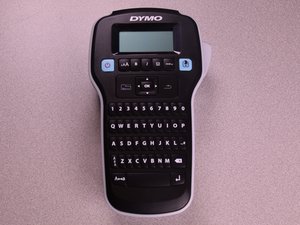
Dymo LabelManager 160 具有黑色顶壳,顶部配有屏幕,屏幕下方有功能按钮,按钮下方为 QWERTY 键盘。大多数按钮为黑色,印有白色文字;两端的功能按钮为浅蓝色,印有黑色文字。键盘占据了机身的大部分,并且比包含屏幕的部分更窄。
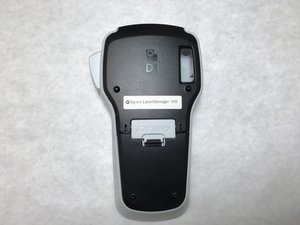
Dymo 标志印在屏幕上方的中心位置。型号和序列号印在设备背面。
UA-SYDOW CAMPBELL-S16S1G4
4 名成员
创作了48篇指南
过去 24 小时: 3
过去 7 天: 35
过去 30 天: 190
总计 9,536