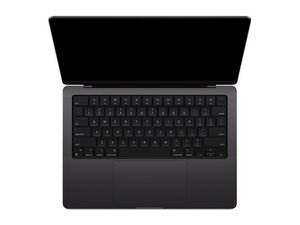

How do I remove the keycaps
how do i remove the keycaps? i spill some sugary drink on it and i need to clean and remove the right shift key, arrow keys and the cmd keys
声誉积分: 2.4千
 23
23
 12
12
 6
6
it's a bit complicated and maybe finding a video is better but I'll try to explain as much as I can...
the caps are detachable from the top, they are held by clips while at the bottom its held by a hook like mechanism on the cap. prying from the bottom will break the hook on the cap and make the keys loose or just fall off. Stick your fingernail or a thin prying tool into the slit on the top and hold the bottom down to deatch the clips on the top without breaking the hook-ish thing. After the top is disconnected slide the key out by sliding it downwards to disengage the hook. be careful as the bracket might snap and dont try to force the clip to detach with too much force.
here's the structure of the bracket, you can see where two bits poking out from the top; thats what holds the keys down.


(image stolen from amazon btw)
arrow keys are slightly different as they need to be pried from the sides, forgot the direction so I'm afraid you'll have to find a video or smth
After you remove them, brush the residue off from the macbook with toothbrush with isopropyl alcohol, remember to only use a tiny amount that's just enough to remove the residue to prevent it from seeping in and damaging the battery or other components.
这个答案有帮助吗?
过去 24 小时: 2
过去 7 天: 22
过去 30 天: 61
总计 61

