
 1
1 Battery and Front Panel Replacement disaster
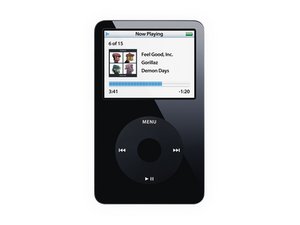
After successfully opening the iPod (5th Gen Video) case, separating the battery cable from the logic board and then replacing the front panel and the battery I attempted to reassemble in reverse order.
This is seriously not as easy as taking it apart. There should be a whole video showing EXACTLY how to reassemble the small ribbon cables into the surface mount connectors. The hard drive connector is especially difficult and is easy to pull away from the motherboard connector where it is just held in place with a tacky glue on the underside of the ribbon connector.
In any case the battery cable connector on the bottom right side of the front panel section near the dock port has pulled away from the motherboard. The soldered legs have become separated. I will now have to attempt repair by soldering of this mess before reassembling. Any suggestions? Is this little battery cable connector even repairable or will I need a need logic board?

 946
946  2.4千
2.4千 
1条评论
Thank you for accepting my answer. Good luck to you.
由 oldturkey03 完成的