
跳转到主内容
加入维修社区 - 创建账户

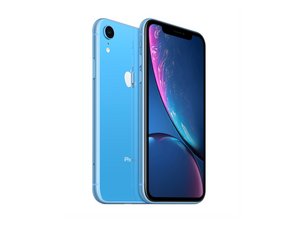
发布于2018年10月26日。型号A1984,A2105,A2106,A2108。 提供GSM或CDMA / eSIM,nano-SIM或双SIM / 64,128或256 GB /黑色,白色,蓝色,黄色,珊瑚色或红色。 (发音为“iPhone 10 R”)

iPhone XR microphone issue

Good afternoon. I sent my XR away to have the lower microphone fixed. From what I understand it’s the same part as the charging dock. my reason for sending it for repair was that people couldn’t hear my on cellular calls. But occasionally they could. It arrived back from the repair shop. But I still have the same problem even with a new part fitted. The lower microphone does work on sound recording and Whats app and messager calls. It also works on front and rear video footage. Would anyone know what the issue is please. Thanks

回答此问题 我也有这个问题

这是一个好问题吗?

得分 0
添加一条评论

1个答案

Enabling Microphone Access

To adjust microphone settings for a specific app: [1]

  1. Open the Settings app on your iPhone.
  2. Scroll down and tap Privacy & Security.
  3. Tap Microphone.
  4. A list of apps that have requested access will appear. Toggle the switch to ON (green) for the apps you want to allow. [1, 2]

Alternatively, you can scroll down to the app list at the very bottom of your main Settings page, select the specific app (e.g., WhatsApp), and toggle its Microphone permission on

这个答案有帮助吗?

得分 0
添加一条评论

添加你的答案

Leigh Scott 将永远感激不已
浏览统计数据:

过去 24 小时: 1

过去 7 天: 10

过去 30 天: 13

总计 12