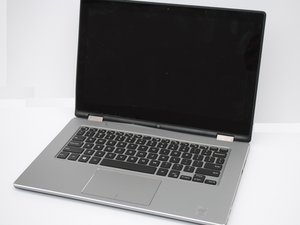

Hinge problem and noisy
My laptop's hinges are noisy and show a crack on one side.
声誉积分: 101.6千
 160
160
 89
89
 157
157
I assume the crack you're referring to is on the lid of the computer, and if that's the case you'll almost certainly need to replace that top cover and probably the hinges as well. From what I can see in the service manual, the hinges are attached to the lower lip of the lid. On computers that are configured like that, it's quite common for the plastic to give way over time, especially when the hinges get gummed up or corroded and become difficult to open.
The good news is that if you buy a new LCD cover from Dell, it comes with the hinges, solving both of your problems at once. I don't see where they even sell the hinges separately, but if you check online you might find an aftermarket vendor selling them. Anyway, here's the service manual, open to the page showing how to remove the display cover.
Inspiron 13 7000 series 2-in-1 Service Manual - Dell US
This page shows two different lids available for your laptop; presumably you'll need to enter your service tag number to figure out which one is correct for you. Unfortunately, one of them appears to be out of stock, so hopefully the other one is the right one.
Dell Inspiron 13 (7368) 2-in-1 LCD Back Covers - OEM Replacements
Once you figure out which one you need, you can also check for any aftermarket or used replacements on places like AliExpress, eBay or Amazon, although the price on the OEM part wasn't outrageously expensive as they sometimes can be.
Just for reference, I've downloaded the complete service manual to the device page to make sure it's available in perpetuity.
Inspiron 13 7368 2 In 1 Laptop Service Manual En Us - iFixit
这个答案有帮助吗?
过去 24 小时: 1
过去 7 天: 2
过去 30 天: 17
All Time: 81

