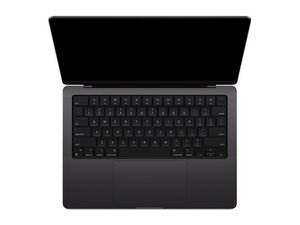

How can I add more RAM?
I only have 16 GB of RAM in my computer, but since I want to run AI's I want to have more ram is there a way I can take it apart and add more RAM or replace the ram that is in there with more.
声誉积分: 13
 1
1
 1
1
声誉积分: 8千
33
42
 8
8
The RAM is fixed on the board and cannot easily be replaced or upgraded. Take a look at this video https://www.youtube.com/watch?v=XVLeQcQf... to show you the process. It is an expert job to pull off successfully!
这个答案有帮助吗?
声誉积分: 1
3
Firstt check that your RAM is upgradeable or soldered. If your computer has RAM slots available, you can add more RAM or replace existing one.
这个答案有帮助吗?
On this model the RAM is soldered to the board and requires specialist work to do anything there.
@lucytaylor - Sadly this series has soldered on RAM directly on the SoC processor carrier. It is Very Delicate procedure and not really practical when getting a replacement system is more likely a cheaper option (used within the same series).
Sadly I can't show you the RAM chips as they are hidden under the SoC's heat sink in all of the images I can find. The YouTube vid Livefe posted only shows the Flash chips (NAND) only being upgraded which is much easier!
@danj On Apple silicon M chips the RAM is also part of the CPU?
@livfe - Well yes! Here it's on a substrate board the SoC share (not a CPU). This is a different architecture than Intel or AMD. There we are talking ARM which combines quite a lot of the logic into the one chip.
@livfe If RAM is soldered you can’t upgrade or replace it. you can do one thing use virtual memory
声誉积分: 1
3
yeah you might be able to, but it really depends if it’s a desktop or laptop and if the RAM is soldered or not. I upgraded mine from 16GB to 32GB just by popping in 2 extra sticks, but on some laptops you’re basically stuck. best thing is check your model first before buying anything or taking it apart lol
这个答案有帮助吗?
That might not be the same MacBook or Apple product that you are referring to. I think that you are referring to a desktop computer, a windows laptop, or a PC tower. This MacBook's RAM is soldered to the motherboard, so RAM upgrades would be increasingly hard. Last time I checked, there are no Apple Laptops that can be upgraded to 32GB. The only Apple Products that can be upgraded to 32GB are the iMacs from 2019 downwards, and the Macs 2019 downwards.
@Theo Grefalda - You can't really upgrade any of the M series RAM. You can upgrade some that support a module or have the deeper skills and tools to replace the discrete Flash chips (not easy).
At the point of sale you can get 32 GB as well as even higher RAM and Flash storage but at a premium cost.
@danj Yes, but the point is, the 2019 iMac Retina is configurable with 32GB of RAM, while being able to support up to 64GB of RAM, and the 2019 Mac Pro can do the same thing, just with a maximum amount of RAM up to 1.5TB. Anything Apple beyond 2019 has soldered RAM. I wasn't saying anything about the fact that any M series would be upgradable. The 2019 Mac Pro has an Intel, the 2019 iMac Retina has an Intel, and they both have RAM slots.
(Also note that I said "There are no Apple Laptops that can be UPGRADED to 32GB RAM", not "There are no Apple Laptops that HAVE 32GB of RAM")
@Theo Grefalda - We are talking about the M5 14" MacBook Pro here! Apple made a sizable compromise as the RAM in the M series is a shared resource between the different functions.
As you are asking about the older 2019 has upgradable RAM as you can see in Step 7 iMac Pro拆解 but that's a desktop not a laptop and even the older 2019 16" MacBook Pro Core i9 can be bought at the time with upto 64GB and a good tech can even upgrade the system soldered in new chips in.
You are right none of the MacBook laptops since 2013 have User upgradeable RAM! That because there's no room for the fixtures! Even Dell and others which made similar thin systems don't either.
@danj So I then edited the comment because I realized that the iMac Pro was NOT from 2019, but from 2018. Instead, I listed the 2019 iMac Retina since I saw that it was configurable to 64GB of RAM. And the answer we are commenting on said "I upgraded mine from 16GB to 32GB just by popping in 2 extra sticks", which didn't make sense seeing that I have never heard of a MacBook with an Apple Processor have RAM slots. Plus, in order to gain maximum performance, everything on the motherboard has to be soldered. And I literary said "That might not be the same MacBook or Apple product that you are referring to. I think that you are referring to a desktop computer, a windows laptop, or a PC tower" in the very first comment I posted to that answer. Some Windows Laptops (such as those Framework laptops) can be upgraded to 32GB of RAM while being thin.
过去 24 小时: 20
过去 7 天: 213
过去 30 天: 1,007
总计 3,224



3条评论
Go with @livfe's answer if you don't know how to solder. Don't create the risk of breaking a component when you try to upgrade your MacBook's RAM if you don't know how to solder. But if you do know how to solder, you could at least try.
由 Theo Grefalda 完成的
@Theo Grefalda Is there someone that I could send it to to do it?
Because I know how to solder but I do not trust my self enough.
由 Maverick 完成的
@madfish89 There is a microsolderer, which is a person that can solder extremely small soldering points. I think that iFixit has microsoldering classes, last time I checked. There is also the robot arm, which can place in those RAM chips (if there are any) with extreme precision. Then there is whole motherboard replacements. You will have to back up your info in the last one if you are willing to replace a whole motherboard. I have a 2012 MacBook Pro that has the Intel Core I5 and the same amount of ram as you do, and it does perfectly fine with the AI.
由 Theo Grefalda 完成的