
跳转到主内容

Released June 2012 / Core i7 processor with Turbo Boost / Up to 1 GB GDDR5 Video RAM

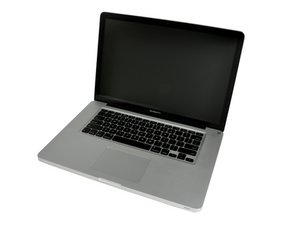
Swapping harddrive for SSD in MacBook Pro 15 inch (2012).

Hey,

I am looking to swap the harddrive of a new 2012 MacBook pro 15 inch with an SSD and then replace the optical bay with the original

I was wondering if the process is exactly the same as previous models. I have looked at the tear down but wanted to make sure

已回答! 显示答案 我也有这个问题

这是一个好问题吗?

得分 1
添加一条评论

3个答案

已选择的解决方案

Here's an article by OWC and bench results on the 15" standard: http://blog.macsales.com/14263-owc-ssds-...

这个答案有帮助吗?

得分 2
添加一条评论

I did this yesterday. I installed a Samsung 512GB SSD. The guide for the late 2011 model did match perfectly:

2011晚期 15寸 MacBook Pro 一体化机硬盘更换

And use this one for cloning the harddisk:

如何安装 macOS 10.13 High Sierra操作系统

Mac OS X图片

指南

如何安装 macOS 10.13 High Sierra操作系统

难度:

简单

1 - 3 hours

MacBook Pro 15" Unibody Late 2011 硬盘图片

指南

2011晚期 15寸 MacBook Pro 一体化机硬盘更换

难度:

中等

25 - 40 minutes

这个答案有帮助吗?

得分 0
添加一条评论

hi,

I am planning to replace my existing HD with a new SSD. Im on OS X Lion 10.7.4

I need to clone my HD on to my SSD. Can I not do this using my latest Time Machine Back up?

wouldnt the TM back up install the OS plus all my applications and files etc ( basically bring it back to the current state including preferences)?

Is this what time machine is for?

thanks

这个答案有帮助吗?

得分 0

1条评论:

Akshay,

If you opt to install by using a TM backup, all your data, applications and preferences. The only thing to account for is that the SSD needs to have the more space that what your TM backup uses.

完成的

添加一条评论

添加你的答案

jchu1990 将永远感激不已
浏览统计数据:

过去 24 小时: 0

过去 7 天: 1

过去 30 天: 2

总计 38,449
