跳转到主内容
加入维修社区 - 创建账户

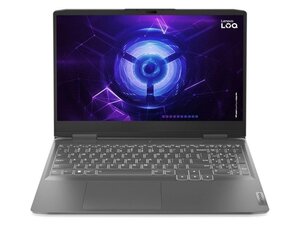
Lenovo LOQ 15IAX9 搭载英特尔 i5-12450HX 处理器,最高可选 RTX 4060 显卡,配备 15.6 英寸 FHD 144 Hz 显示屏,最高支持 32 GB DDR5 内存、PCIe Gen4 固态硬盘,内置 60 Wh 电池,并拥有包括 HDMI 2.1 和 USB-C 在内的完整接口。

How do I reset BIOS.

When i was downloading GPU Drivers, it said that something went wrong. So i got to BIOS settings and turned GPU from Hybrid to Discrete. My screen went black, never turned on again, fans are spinning, keyboard lights up, just black screen. Tried resetting CMOS battery, tried disconnecting main battery too and also tried hard reset, nothing worked. Can y'all help me? Thanks.

回答此问题 我也有这个问题

这是一个好问题吗?

得分 2
添加一条评论

2个答案

Turn off the laptop, then turn it on and repeatedly press F2 (or Fn+F2) to enter the BIOS menu. Navigate to the Exit tab, select Load Setup Defaults, confirm with Yes, then select Save & Exit. Hope it works!

这个答案有帮助吗?

得分 0
添加一条评论

I also had a similar thing happen when changing any setting or updating bios, if it looks like it is boot looping trust that because it looped 5, maybe 6 times before the screen lit up for me after a bios update. It's scary but eh, I guess I can deal with it... If it didn't try to restart either your GPU might not be getting to the screen and in that case I'd just hold down f2 during boot and disable discrete mode, it's no use downloading a GPU driver if it's gonna stop functioning...

这个答案有帮助吗?

得分 0
添加一条评论

添加你的答案

Giorgi Abramishvili 将永远感激不已
浏览统计数据:

过去 24 小时: 5

过去 7 天: 14

过去 30 天: 71

总计 651