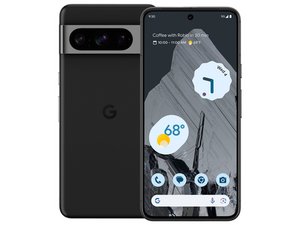

Screen is dim after replacement
I have replaced my screen in my pixel 8 pro and the screen is dim but on boot it's normal what could be the issue here as you can see the first photo is the home screen


声誉积分: 100.4千
 157
157
 87
87
 154
154
I have to wonder if your ambient light sensor is being blocked. Owning a Pixel myself, I tend to note issues posted about them, and I've seen more than a couple where a pieced of protective film got left on an opening, usually for a camera, but it's just as likely it could happen to the ALS too.
It appears there's a sensor on the earpiece speaker assembly; sites selling it are calling it a proximity sensor, but they're not always correct; it could be the ALS just as easily. Anyway, check the earpiece speaker assembly replacement guide; Step 23 has a very specific warning about removing the plastic liners.
Google Pixel 8 Pro Earpiece Speaker Replacement - iFixit Repair Guide
If that's what happened, the good news is it's an easy fix, but the bad news is you'll have to open the phone up again to get to the liner.
There is a section of the official Google repair manual regarding troubleshooting of the proximity sensor. Here's the relevant page.

Apparently it's common enough to get that grommet on wrong that they felt it important to document it in their troubleshooting guide.
The proximity sensor is mounted on something called the ANT 1 Board, and does indeed need to see through that square opening next to the front camera. I've marked the opening and the sensor on this picture.

That's the area I'd focus on; of course you'll have to open the phone up again to check it. Is there any chance there could have been more than one protective sheet? I know the official Google screens have that large blue one covering half the screen, but could there have been another one under that covering the proximity sensor opening?
这个答案有帮助吗?
i have tried the proximity test app off the play store as had to take phone into dark room to see the screen
and the proximity sensor is not registering anything you recon it could be that
@darrenwayn93543 Definitely could be the problem; it looks to me like there's an opening in the back side of the screen right above the earpiece speaker that is probably to let the proximity sensor "see" through the screen. If there was an extra piece of protective plastic over that opening, that would certainly kill the sensor's function.
@dadibrokeit i removed it before i installed it
I have the same issue, did you get it resolved?
过去 24 小时: 0
过去 7 天: 3
过去 30 天: 34
总计 224


1条评论
Have you tried it with that protector removed? Looking at the state of it, that could be affecting the sensor.
由 Ted 完成的