跳转到主内容
加入维修社区 - 创建账户

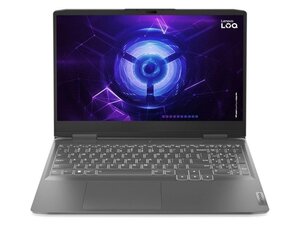
Lenovo LOQ 15IAX9 with Intel i5-12450HX, up to RTX 4060 GPU, 15.6″ FHD 144 Hz display, up to 32 GB DDR5, PCIe Gen4 SSD, 60 Wh battery, and full I/O including HDMI 2.1 and USB-C.

Usb ports not working

Good day I trust you are well. I have the above mentioned laptop. I use a cooling pad as well as accessories for gaming, my two rear usb ports suddenly stopped working. I have gone through the drivers as well as softwares and checked that everything is correct, usbs are still dead. Any advice? Kind regards

回答此问题 我也有这个问题

这是一个好问题吗?

得分 1
添加一条评论

1个答案

最有帮助的答案

Hi @wouterbred35891

Connect a mobile phone or USB mouse to one of the USB ports and check if the phone starts to charge or the mouse's laser light turns on.

If they don't go to Device Manager and check that the USB Power Management setting of "Allow the computer to turn off this device to save power" is unchecked.

To get to Device Manager in Win10/11 press the Win key + x key (both together) and select the Device Manager link in the options menu box that opens.

When in Device Manager scroll down to Universal Serial Bus Controllers → click on > symbol to expand the entry list right click on a USB Root Hub entry → Properties → Power Management

If the checkbox is checked uncheck it → OK

Do this for all the USB Root Hub entries shown in the list.

When completed, close all open windows and then restart Windows in the normal manner and check if the USB ports now work OK

这个答案有帮助吗?

得分 1
添加一条评论

添加你的答案

Wouter Bredenkamp 将永远感激不已
浏览统计数据:

过去 24 小时: 2

过去 7 天: 10

过去 30 天: 43

总计 258