跳转到主内容

Screen is flashing black

Please refer to this for visuals.

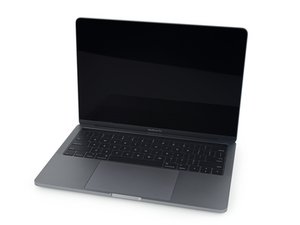
Some weeks ago, my MacBook Pro 2018 (Touch Bar) started acting weird. I was back from the other place so I couldn't care about a single black-flash or two and watched some movies. However, it got worse when using those full-screen or heavy applications.

And I had to go to another country so I brought my other Laptop with me. But when I came back, I did some troubleshooting -

  • Ran in Safeboot
  • Ran in Recovery Mode
  • Reseted NVRAM and SMC or whatever
  • Wiped the entire disk and re-installed Sequoia
  • Downgraded to Ventura

All of those results in the same flashing black.

Then, I thought it was the cable since the disk was wiped clean and it was a fresh install. But however, whenever I'm running CleanMyMac and stuffs, it doesn't seem to do that thing. The same when watching live from Twitch or Youtube in full-screen mode.

So, I'm still confused if I should be reseating/replacing the cable.

But yes, tilting the lid and leaving it at about 45 degree (almost-close lid) seems to solve the problem but all I could do in that angle was press enters on terminal.

So my questions are

  1. Is this a confirmed cable thing or is there any fix that I missed?
  2. Is reseating/replacing cable doable by a non-Apple-tech? (I have experience with Windows Laptops but I'm afraid Macs would have different structure although I do know they will also have similar structures)

回答此问题 我也有这个问题

这是一个好问题吗?

得分 0
添加一条评论

2个答案

Your display runs in a couple of different frequencies! The native is 2560 by 1600 at 227 ppi. But also supports scaled resolutions of 1680 by 1050, 1440 by 900, and 1024 by 640. Some Apps will force the system to jump to the lower resolutions which in turn lowers the scan frequency!

So what does this have to do with the screen flashing? What you are seeing is the T-CON clocking is messing up at a given frequency (2560 by1600) is what I'm suspecting. This often becomes an issue when running more process intensive Apps so the system is running hotter. You could see if boosting the fan helps but ideally I would want to monitor what's happening as it could be as simply doing some dust clean up and/or thermal paste refresh.

I find TG Pro is the best tool here, let's see what it tells us. With the system running but idle for a bit (no wink-out) take a snapshot of TG Pro's main screen showing the sensor listing (you'll need to slide the window to see the lower entries for a second snap) then when it's winking out repeat make sure to label the files and post them here so we can see them.

这个答案有帮助吗?

得分 0

15条评论:

It's actually the other way around. It blinks black when the CPU is idle and it not even once blinks when the CPU is under intensive tasks like scanning (CleanMyMac, Onyx, Magican). Even running `find .` on terminal will stop the screen from blinking black. So, the temperatures are also hard to capture because the fans won't even turn on and there will be two different behaviors. However, the terminal or the respective app needs to be the focus. If it's just run in the background, the screen would still blink.

完成的

@nyanya - Most Apps run at the lower resolutions. There are utilities which can force the resolution to prove things.

The top most App issue may be pointing to a graphics chip issue and its access to video RAM here a part of the main memory is used with the Intel Iris Plus Graphics services within the CPU chip.

完成的

I've tried installing Windows 10 via Bootcamp Assistant and the blinking flash doesn't happen there as well. Now I'm thinking about downgrading the system into Monetary. I've also installed BetterDisplay and now trying to tweak things but no luck yet. I'm just hoping I don't need to get into hardware since it works in all other kinds of OSes.

完成的

@nyanya - Windows doesn't support the 2560 by 1600 at 227 ppi scan rate! And the last time I checked Linux doesn't either which supports the point on the T-CON having issues.

完成的

I'm pretty bad on hardware stuffs. So, is replacing T-CON the only way? The black-blinking doesn't respond to temperature and fans, though. It happens regardless of that. Is there a way to change drivers or anything to mimic Linux/Windows' ones so this doesn't happen? The laptop is only used for light-weight tasks like Canva/Web-browsing/Movies.

完成的

显示更多的10条评论

添加一条评论

Well I will suggest you to checkout the following: https://discussions.apple.com/thread/255...

这个答案有帮助吗?

得分 0

1条评论:

@gtip - the issue here is the main display not the TouchBar it's self which is thrust of the Apple discussion thread.

完成的

添加一条评论

添加你的答案

Nya Nya 将永远感激不已
浏览统计数据:

过去 24 小时: 0

过去 7 天: 2

过去 30 天: 14

总计 121