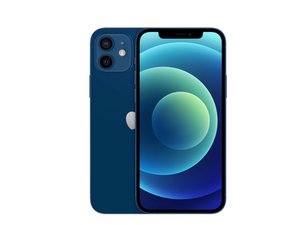

Why does my iPhone 12 only work on speaker phone?
My iPhone 12 only works on speaker phone, I cannot hear anything or anyone if it’s not on speaker phone. Why is this? It’s been like this for a few months now.

声誉积分: 83千
 132
132
 66
66
 103
103
It's not unheard of for the earpiece speaker on an iPhone to fail, which will result in exactly the situation you find yourself in. However, before you go that route, I'd suggest trying the troubleshooting steps in this guide.
iPhone 12 Speaker Issues - iFixit Troubleshooting
Of particular interest is Section 4, which talks about an apparent design defect in some receiver modules that Apple will apparently fix for you under a service program. Here's the relevant section.
Some iPhone 12 and iPhone 12 Pro units contain a defective component in their receiver module which has a high chance of failing. If your phone has no trouble playing music or sound through the main speaker, but fails to produce sound through the receiver during calls, you may have one of these defective units.
Luckily, Apple has acknowledged this issue and has offered to fix affected phones through a service program. They specify that only models produced between October 2020 and April 2021 should be affected, so you may have trouble convincing them to extend the offer should your phone be manufactured outside the specified dates.
Should you come to the conclusion that your speaker is indeed toast and needs to be replaced, be aware that the earpiece speaker assembly includes Face ID components and replacing that assembly will result in the loss of Face ID. Currently the only way around losing Face ID is to either use Apple's self repair program (which isn't cheap) or simply pay Apple to fix the problem. Be aware that they don't replace the earpiece speaker assembly; rather you'll have to pay for a new screen, which comes with the earpiece speaker assembly already mounted on it.
However, all is not lost! The speaker itself is not paired to the motherboard and it is possible, with a tiny amount of soldering, to replace just the speaker and keep the rest of the earpiece speaker assembly, thus keeping Face ID working. While iFixit doesn't have a guide for your phone, I can tell you exactly how to do it since I authored the iPhone X guide. The procedure is virtually identical. Here's what you'll have to do.
First, follow the Earpiece Speaker and Front Sensor Assembly Replacement guide from the beginning up through Step 28.
iPhone 12 Earpiece Speaker and Front Sensor Assembly Replacement - iFixit Repair Guide
Next, switch over to my iPhone X Earpiece Speaker Replacement Without Losing Face ID guide. Skip forward to Step 29 and follow it through to the end.
iPhone X Earpiece Speaker Replacement Without Losing Face ID - iFixit Repair Guide
To reassemble, follow the instructions backwards back to Step 29, then return to the iPhone 12 guide and pick up back at Step 28, continuing on to the beginning.
I know this is a lot, but hopefully it'll get your phone working again. Good luck, and be sure to come back and let us know what you find and how it all turns out; your experience could very well help the next person who comes along with the same problem.

指南
难度:
中等
—
1 - 2 hours

指南
难度:
中等
这个答案有帮助吗?
过去 24 小时: 0
过去 7 天: 8
过去 30 天: 52
总计 104
