跳转到主内容
加入维修社区 - 创建账户

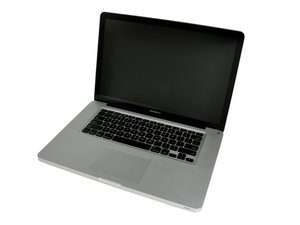
Model A1286. Released February 2011 / 2.0, 2.2, or 2.3 GHz Quad-core Intel Core i7 Processor

Sleep LED no more working

Unfortunately, a glass of wine fell down on my mac.

I absorbed the maximum of wine I could with paper towel.

After half an hour I started the mac successfully.

I did a cleaning of the inside with the help of logic board replacement guide, some alcohol and a tooth brush.

No wine on the logic board, but some in the case and on the battery indicator connector (step 21).

Except the sleep LED, everything works fine

Do you think the battery indicator connector is involved (and replaceable) ? Or did i miss to reconnect another part (like the hard drive/IR sensor cable step 16) ?

Thank you

I already dissembled a lot of PCs, a MBP15''core duo, and welded capacitors in a time capsule successfully

已回答! 显示答案 我也有这个问题

这是一个好问题吗?

得分 1
添加一条评论

1个答案

已选择的解决方案

The assembly with the LED is available, but the hard drive cable has to be replaced. The cable can he found here: MacBook Pro 15" Unibody (Mid 2009-Late 2011) Hard Drive Cable

However, you can try cleaning the connector on the assembly and motherboard with 99% isopropyl alcohol and see if that helps. If it doesn't, you will need to buy a replacement cable to restore the functionality of the LED if the motherboard isn't also damaged. The guide for the motherboard can be found here: MacBook Pro 15" Unibody 2011早期 逻辑板更换

The guide to remove the cable can be found here: MacBook Pro 15" Unibody Early 2011 Upper Case Replacement

If this doesn't fix it, you will need to replace the motherboard or do a board level repair to restore the functionality of the LED. At this point if it's not a serious issue, it may be more economical to live with it.

Replace a torn or damaged cable connecting the hard drive to the logic board in your laptop.图片

产品

MacBook Pro 15" Unibody (Mid 2009-Late 2011) Hard Drive Cable

$29.99

MacBook Pro 15" Unibody Early 2011 逻辑板图片

指南

MacBook Pro 15" Unibody 2011早期 逻辑板更换

难度:

困难

1 - 3 hours

MacBook Pro 15" Unibody Early 2011 Upper Case图片

指南

MacBook Pro 15" Unibody Early 2011 Upper Case Replacement

难度:

困难

3 hours

这个答案有帮助吗?

得分 1

1条评论:

Thank you for the link to the upper case guide. I saw the step 29 showing how to put off the hard drive/IR sensor cable.

The LED is on this cable. On the unibody, there's only a window.

I tried to clean up the connector unsuccessfully.

I found the cable in part and tools :

MacBook Pro 15" Unibody (Mid 2009-Late 2011) Hard Drive Cable

I am wondering about changing it

If it doesn't work, that's mean the connector on the logic board is dead

完成的

添加一条评论

添加你的答案

Pascal 将永远感激不已
浏览统计数据:

过去 24 小时: 1

过去 7 天: 5

过去 30 天: 15

总计 2,383