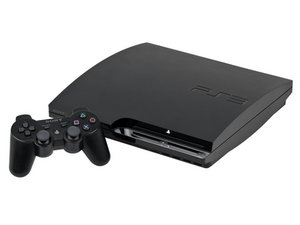

PS3 won't work after trying to update to 4.91
I tried to update my PS3 (CHECH-2503B, currently on version 4.85) to the latest firmware, gave me the error '8002f994' on the two times I tried to update the console so I turned it off and turned it on a little later.
It got through the coldboot but wouldn't load the user select menu and would just be stuck with no menu but the background would still move, it also refused to turn off so I had to remove the power cable and put it back in. I tried to restore the system but it would crash at 47% on both attempts and then would reboot, asking me to restore the system as it was 'corrupted'
I also tried to rebuild the database but that was just left as 'preparing' for hours. Trying to update from usb just froze safe mode.
What I'm wondering is if the hard drive is somehow corrupted? It has been with me for 9 ~ 10 years so I'm wondering if that's the case.
Thank you!

 20
20  16
16  28
28 
2条评论
Try this
Please go to the PS3 system software download page:
https://www.playstation.com/support/hard...
On the section "How to update PS3 console system software", click on "Update using a computer". You will see the Download PS3 Update button.
Right-click on the Download PS3 Update button and select Save Link As...
If your web browser tells you the file is not secure, click on it and select Keep It Anyway.
You can update your PS3 console using a USB drive or a disc. You can follow the steps using the link above. Please look into the sections "Update using a disc" or "Update using a computer."
Please reach back if you have further questions.
Posted by Brienda S
136183 answers | 92% rating
由 Asuz Mainlane 完成的
https://www.playstation.com/en-us/suppor...
由 Asuz Mainlane 完成的