跳转到主内容
加入维修社区 - 创建账户

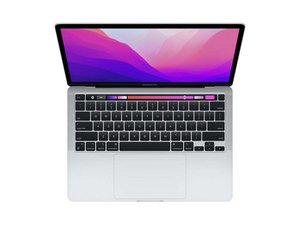
Repair guides and instructions for the Macbook Pro 13" with 2nd generation Apple Silicon (M2 Chip) and 13.3" Retina display. Model A2338. First released July 15, 2022 at WWDC 2022 alongside the Macbook Air M2.

New battery not working

I followed the guide to replace the new battery. However, when I tried to turn it on to start the calibration process. It just says 62% charged even when plugged in for a while. Nothing moves up or down. Then when I remove the charging cable, the Mac automatically turns off. I have to leave the charging cable connected so it can work.

Already have tried restarting, unplugging the battery connector, holding the power button and plugging it back. Not sure what else to do here?

回答此问题 我也有这个问题

这是一个好问题吗?

得分 0
添加一条评论

1个答案

I’m surprised you needed a new battery so soon as this system is still quite new. It sounds like the charging logic within the logic board is having problems. To diagnose further you really need a in-line power meter to place in between your charger and system so you can see the voltages of the system and charger handshake. Here’s one I like Power-Z C240 Portable USB-C Tester, Digital Power Meter, Supports up to 240W and PD3.1 QC5.0, for USB-C

If the charging logic within the logic board is bad you’ll need to find someone with the deeper skills to repair the board and sadly you didn’t need to get a new battery.

这个答案有帮助吗?

得分 0

2条评论:

Oh no the issue was that I spilled some water and everything else was fine except the battery, so that is why I needed to replace it since it was showing the service needed message. Do you think it would still be the charging logic?

完成的

@johnsmith79269 - Well that explains the need of a new battery, time to dig a bit deeper using the USB-C Power Meter. You should see 5volts then transition to 20volts which is the charging voltage.

完成的

添加一条评论

添加你的答案

John Smith 将永远感激不已
浏览统计数据:

过去 24 小时: 0

过去 7 天: 2

过去 30 天: 12

总计 204