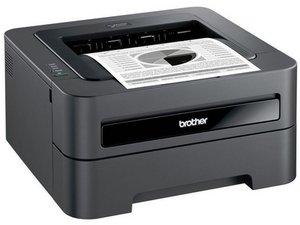

Brother MFC-495CW cannot find SSID
My Brother printer lost contact with my WiFi. All other devices on WiFi are working fine. When I attempt to connect the printer, "Searching SSID" yields no results -- not mine, the neighbors', nobodies.
Thoughts?

声誉积分: 522.1千
 11
11
 399
399
 1.5千
1.5千
Try turning your phone's WiFi on and then place the phone in front of the panel on the left side of the front face of the printer, next to where the paper comes out and check if the printer detects the phone's WiFi.
If it does then it could be a faulty antenna connection on the WLAN card in the printer.
If it doesn't then it may be a faulty WLAN card
Here's the parts list for the model (amongst other models as well) that may help.
Go to p.11 (14 of 32 pdf) to view the parts layout for the cover and find part # 22 (WLAN card).
If it is determined that the card may be the problem the part number is LT1085001 (see p.12 (15 of 32). Although searching online for the part number drew a blank.
Here is the only one I found when searching for Brother MFC-495CW wifi card You may have better luck.
这个答案有帮助吗?

声誉积分: 836.8千
1.3千
942
2.4千
@darrellnesmith and just in case you need it, here is the Brother MFC495CW Service Manual Sorry, could not add it to comments.
这个答案有帮助吗?
过去 24 小时: 0
过去 7 天: 0
过去 30 天: 0
总计 53

1条评论
@darrellnesmith I'd start off by following Brother's FAQ from here. Follow the part about the manual addition of the SSID. Let us know what you get when you try this.
由 oldturkey03 完成的