跳转到主内容
加入维修社区 - 创建账户

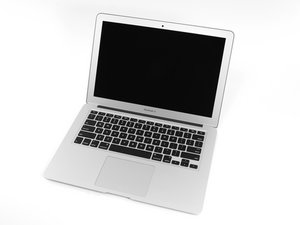
The larger of Apple's MacBook Air laptops featuring dual microphones and 802.11ac Wi-Fi connectivity.

New Battery Calibration Issue

I have installed a "new" battery in my MacBook Air Model A1466 EMC 2632 and have attempted the calibration process. I left it to charge and it made it to 68% then stopped adding any more charge, but the system kept saying it was charging for the next day. At that point I discharged it completely and recharged it again. This time it made it to 74% before charging stalled.

Is this normal behavior, or do I have a system that is not supported. I see that some earlier OS builds have issues but I am on 11.7.10 Big Sur. I worry that leaving the system plugged in and charging once the charge has stalled will cause problems with the Lithium battery.

Edited to add screenshot of Coconut Battery

Block Image
回答此问题 我也有这个问题

这是一个好问题吗?

得分 0
2条评论

Where did you get the replacement battery?

Also can you update your macbook, that might fix the issue

完成的

Thank you for your reply. I got the battery from iFixit, it arrived Monday. Unfortunately, since the laptop if kind of dated, Big Sur is as up-to-date as I can get.

完成的

添加一条评论

3个答案

最有帮助的答案

Check to see if the "Optimize Battery Charging" feature is enabled in the System Preferences. Might be worth turning that off to see if it changes the charge behavior. You can also do an SMC reset and a PRAM reset to see if this helps out at all. Good luck!

这个答案有帮助吗?

得分 1

1条评论:

Thank you for your reply. I could not find the "Optimize Battery Charging" feature, it did not show up in the battery section of System Preferences. I did reset SMC and PRAM. I have since charged the battery twice, and both times it stalls at 74%, just shy of 5000 mAh, rather that making it to 7000 mAh. I'm wondering if maybe this is a 5000 mAh battery but the system thinks it is 7000 mAh. I got all these numbers from Coconut Battery FWTW.

完成的

添加一条评论

Post a snapshot of CoconutBatterys main window here so we can see things too. Make sure the charger is plugged in and give it a few minutes as well.

这个答案有帮助吗?

得分 1

2条评论:

Thank you for your reply. I added a screenshot of CoconutBattery to the original question. I hope that is the right way to share an image.

完成的

@bbolen23408 - Well it looks like the battery is a bit warm so charging was suspended.


See if you have a cooler place to charge the system. If not, shut it down and disconnect the charger for a good three/four hours to let the system and battery cool down. Before you do, take a fresh snap of Coconut and then when you restart the system take a second snap, now charge the battery, this time in a minute or two you should see Charging With show a positive Wattage, to speed things up leave it in Sleep mode. Let us know if that works.

完成的

添加一条评论

I’d say it was normal. It should right itself in two weeks or less. That’s my experience with iPhone battery replacement anyway. Also battery optimisation will be needed to be on otherwise it won’t auto calibrate. Battery optimisation literally calibrates a new battery it just takes a while .

这个答案有帮助吗?

得分 0

2条评论:

It literally already gave an overnight improvement going by your original post. Give it time and come back in two weeks don’t change anything. unless things don’t auto fix or get worse.

完成的

Thanks for your reply. I'll give it some time, and let it cool as was also suggested and see what happens.

完成的

添加一条评论

添加你的答案

bbolen 将永远感激不已
浏览统计数据:

过去 24 小时: 1

过去 7 天: 16

过去 30 天: 38

总计 297

