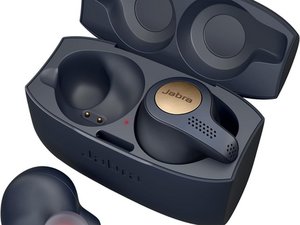

Not working my right earbuds
My right earbuds not working don't know why don't have any damage
声誉积分: 60
 4
4
 3
3
Hi @marta44432 , you can try resetting the earbuds:
from jabra help:
When you reset your Jabra true wireless earbuds, previously paired devices and settings will be cleared.
Follow these steps to reset.
Before you re-pair your earbuds with your mobile device, remember to delete the previous pairing in the Bluetooth menu. Refer to the user manual of your mobile device for instructions.
Note
You can repeat these steps if you are unsuccessful or to verify the results.
If this doesn't work, try resetting the charging case:
这个答案有帮助吗?
See comment to OP
Didn’t fix the problem. Still low volume on right side.
I have the same problem, and the support team told me that they aren't in warranty jet, and for that reason they can't do anything. Do you have some solution?
这个答案有帮助吗?
过去 24 小时: 2
过去 7 天: 16
过去 30 天: 55
总计 2,382



I have the same issue but with the 75, cleaning the little hole between the sound output hole and the charging connectors does nothing, and neither does reinstalling the firmware by removing and reinstalling the language pack.
The issue is when I put on the right earbud, the volume is fairly low even at max volume, but when I also put the left bud on the volume is significantly louder in the left bud whilst the right bud volume remains low.
由 Daddy Ho 完成的
I have the same problem, the volume of the right earbud is lower, when I pressure it the volume turns up
由 Jaime A 完成的
Yes, I have the same problem, the volume of the right earbud is lower, when I pressure it the volume turns up
由 Basri Manuel 完成的
I have the same problem, and the support team told me that they aren't in warranty jet, and for that reason they can't do anything. Do you have any solution?
由 Marta 完成的