跳转到主内容
加入维修社区 - 创建账户

Repair guides and support for top and front loading Whirlpool brand washers.

I can't get the control lock off.

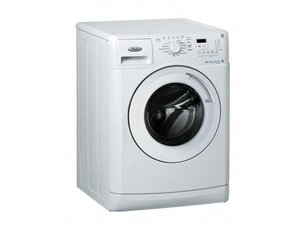
I can't even find a picture of my washer when it comes to this matter. It says to press and hold the control lock button for 3 seconds, there is no button there it's just the light. This is a whirlpool duet front loading steam washer and the control lock light is on I've got to do laundry please help me please help me today

回答此问题 我也有这个问题

这是一个好问题吗?

得分 1
添加一条评论

2个答案

最有帮助的答案

@mathildajobson it really depends on what exact model your Duet washer is. On a Duet WFW8300SW, WFW8500SW, WFW8500SR, you would need to select and hold END OF CYCLE SIGNAL for 3 seconds until the CONTROL LOCKED Status light turns off.

这个答案有帮助吗?

得分 1

5条评论:

Actually, mathildajobson was correct. Press and hold the END OF CYCLE SIGNAL for 3 seconds or untill the CONTROL LOCKED status light turns off. The end of cycle signal button is found on the right side of the panel the offers (3) options with red lights: Louder, Softer,and Off. The button is found below the 3 options. Press and hold the button for around 3 seconds or until the Control Locked light goes out!. I could not find my Model Number. Mathilda Jobson was right. He just didn't finish telling where to find the END OF CYCLE SIGNAL. lesh1670@gmail

完成的

I do not have a button that says end of cycle on this washing machine but it is a Whirlpool front load washer

完成的

I cannot seem to get it out of control lock

完成的

@artdismang

What is the model number of your washer?

完成的

@artdismang The button on my washer is labeled "Cycle Signal" and it sets the volume level for the beeper. Next to it, there is a button labeled "Control Lock". Both of those buttons have fine print underneath them suggesting that they be held for 3 seconds, but it was by holding the "Control Lock" button that I cleared the lock-light condition. Shockingly, prior to that, disconnecting the power for a week did not help. My washer looks a lot like the front-loader I see in the top-right corner of this page and both buttons as well as the light are on the right end of the control panel.

完成的

添加一条评论

I just had this issue today. Place your finger over the control lock light or in that general area for 3 seconds and it should turn off. I thought the same thing since there was no indicator that it was a button.

这个答案有帮助吗?

得分 0
添加一条评论

添加你的答案

Mackavile 将永远感激不已
浏览统计数据:

过去 24 小时: 15

过去 7 天: 104

过去 30 天: 330

总计 8,802