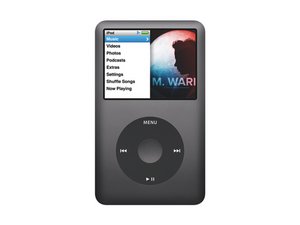

Red X Icon iPod Classic
How Get Rid The Red X Icon On My iPod Classic I Did Everything Smacking It I Tried To Put It In DIsk Mode It Doesn't It Work So What Do I DO

声誉积分: 841.9千
 1.4千
1.4千
 945
945
 2.4千
2.4千
Brandon, there are really only a few things you can try. A reset would be one of them and you might check on here http://support.apple.com/kb/ht1320 for that. My gut feeling is that you will need to replace the hard drive. There are some that suggest "slapping" the HDD a bit to loosen it up. This may work for a bit, but bottom line would be to change your hard drive. Here iPod 6th Generation are the guides. Hope this helps, good luck.
这个答案有帮助吗?

声誉积分: 1
4
2
这个答案有帮助吗?
过去 24 小时: 1
过去 7 天: 13
过去 30 天: 33
总计 3,119

1条评论
Like I said before, time to replace your hard drive :-)
由 oldturkey03 完成的