
跳转到主内容

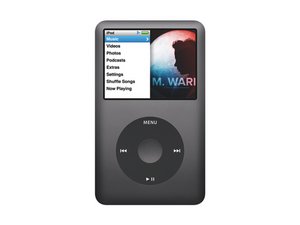
第六代 iPod classic 。机型型号 A1238,80/120/160 GB 机械硬盘,黑色或银色金属前面板。

Click wheel not playing/pausing

The click wheel on iPod Classic (Late 2009) doesn't work for playing or pausing. To get it to play I have to press it 20-30 times just below the play/pause symbols. Once it's playing I just remove the headphone jack to pause playback. All other functions work properly forward/back, Menu, volume control, and the center button. Unit charges normally, and is recognized by iTunes/Windows. Is it just the click wheel that needs replacing?

回答此问题 我也有这个问题

这是一个好问题吗?

得分 -1
添加一条评论

1个答案

最有帮助的答案

place your iPod in diagnostic mode "Menu + Center >Previous + Center" In the diagnostic mode it allows you to test your click wheel. You can check on it. At this point I would think that if everything else works the way it is supposed to, just change the click wheel. Not a terrible job, bit of a bear to open the iPod, and cost effective. Once you change it re-evalaute and see what you got. Make sure that when you do change it, take a look at the micro switches on the logic board. They have to correspond with the click wheel.

iPod Classic Click Wheel Replacement

这个答案有帮助吗?

得分 3

4条评论:

Thanks for your reply. Looking at slide 34 in the instructions I see the micro switches you are talking about. Now I'm wondering if the micro switch that corresponds with the play/pause button is bad. Can I test that somehow?

完成的

You can check the switch through the diagnostics as well, It does give you the option. You could also disassemble the iPod and test the switch with a multimeter.

完成的

The keypad button test fails on the Pause/Play Key. Once I figure out how to get out of this testing I will try the Wheel test.

完成的

okay sounds good. let us know

完成的

添加一条评论

添加你的答案

mike marcott 将永远感激不已
浏览统计数据:

过去 24 小时: 1

过去 7 天: 1

过去 30 天: 2

总计 11,480