
跳转到主内容

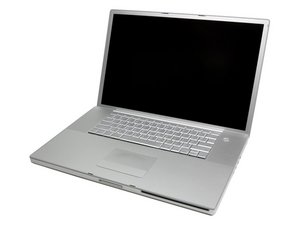
该机型使用非 Unibody 一体成型机身,使用 Core Duo 及 Core 2 Duo 处理器。

MacBook Pro A1151 Power on Problem

Hi guys,

I have a macbook pro a1151 that will not power on when i press the power button. When I do this, I get a momentary flash of the power light on the front, and a wheeze of the sound of the HD trying to start up. The machine then fails to power on. I have power from the power adapter and its charging the battery. The green light is on.

However, when I hold the power button for several seconds, I get repeated flashing of the power light on the front of the macbook, and it is followed by a long chime, and then the macbook boots without issue.

I have tried the following to resolve.

Repaired Permissions/Disk

Zapped PRAM

Reset SMC

Replaced the HD

After reading some of the other answers to questions of a similar nature, could it be possible that the problem lies with the I/O board and not the logic board? What tests can I do to the I/O board to check if there is a fault and what is the likely hood that replacing the I/O will resolve this issue?

Many Thanks.

已回答! 显示答案 我也有这个问题

这是一个好问题吗?

得分 -1
1条评论

What is your RAM configuration?

完成的

添加一条评论

1个答案

已选择的解决方案

Do you have an 85-watt AC adapter? The 17" model will not power on unless you've got an 85-watt, although a 60W will sometimes show some signs of life short of powering on, such as charging the battery, etc.

Reading your question again, I'm realizing you've stated it DOES power on when you reset the PMU/SMC...since it will power on, this probably rules out the AC adapter issue, and I'd assume you probably have an 85-watt. But I would still verify, and you might want to try another AC adapter if you have one around.

A few things to test: Try with the battery removed. Test the RAM slots by powering on with one slot empty, then the other slot empty, and see if there is any difference in behavior. I would disconnect the optical and hard drive, since at this point those are extraneous items that will only cloud the issue. Once you have a machine that is working you can re-attach them.

This is a longshot, but I would try to do a "hard" PRAM reset by changing the amount of RAM and then immediately resetting the PRAM three times (the first chime, plus three more).

I suppose it could be the DC-in (I/O board), but these are fairly unusual symptoms, so I would not jump right to to replacing the DC-in, and instead would try to test everything else more thoroughly first.

这个答案有帮助吗?

得分 3

1条评论:

Hi rdklinc, thanks for your post.

I don't believe it to be a power adapter issue as the same problem happens when not connected to the AC. I plan to follow all of your mentioned steps, Ram modules removed one at a time and in different bays, and also I will disconnect the optical and hard drives. I took it to a Apple store and they said it was the logic board but I'm not convinced it is.. Thats the first thing they say anyway, when you take something in with these symptoms. While there is a chance that the I/O board could be the fault, I'd rather replace this at much less cost. Also, I have someone with experience in testing components to see where the fault lies so I'll probably get him to check this too with a meter voltage reader.

In your experience what are the percentage chances of it being the I/O board?

Thanks.

完成的

添加一条评论

添加你的答案

m8oxy 将永远感激不已
浏览统计数据:

过去 24 小时: 1

过去 7 天: 2

过去 30 天: 6

总计 1,000