
 1
1  1
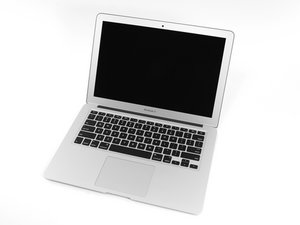
1 MacBook Air won't turn on. Charger stays orange.
This is WEIRD!
I installed a fresh clean MacOS High Sierra on my MBA 2015. Worked fine.
I then turned the mac off and left it for about a month.
I came back to it just the other day, and it won't turn on.
Plugged in charger - green light at first, then red light.
Ok, I thought it'll charge a bit and turn on (even though I do remember turning the mac off before I left for my break).
Came back after 30 minutes. Still won't turn on.
Thought it was the charger. Plugged in another charger (which works for sure). Same thing.
Weird.
Did all the reset BS that I found online (SMC, SM-this, SM-that, PM, PR, all that stuff). Nothing.
Opened it up for inspection. Looks like it's brand new (seriously - I take care of my stuff like crazy! A bit OCD on these things).
Disconnected battery and reconnected it. NOTHING.
What gives?
Anyone here has a clue?
Here are some pics:

 291
291 
7条评论
Thanks @arbaman
Battery death my be the case. But a Macbook Air 2015 won’t boot without a battery? Because I did disconnect the battery and tried turning it on, but it won’t.
The condition of the board and internals are so new-looking, that I am still refusing to declare this machine dead.
Perhaps this model of MBA won’t turn on without a battery connected? I read somewhere that some of the models indeed won’t turn on without battery connected to them.
由 dashndjash 完成的
@wdadjkalsdjlk Your Mac would work normally without a battery, hence my advice to disconnect it. Fact that it doesn't start even without it, points to other hardware faults.
由 arbaman 完成的
@arbaman Thank you. Any other suggestions of action? Something else that I can do on my own?
由 dashndjash 完成的
@wdadjkalsdjlk I'm not sure I'd feel comfortable in suggesting you to buy random parts to see how it goes or buying a multimeter and get into schematic diagrams to start probing power and data lines. However, these are the only two possible troubleshooting paths I'm aware of.
由 arbaman 完成的
you are very much correct. not to mention it's way above my paygrade. I am just very frustrated because I needed this laptop for school and I am so broke right now. I guess I will have to let it go.
由 dashndjash 完成的
显示更多的2条评论