
跳转到主内容

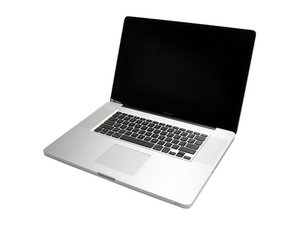
Model A1297 Unibody: Early 2009, Mid 2009, Mid 2010, Early 2011 & Late 2011

How to restore files from Time Machine?

I reformated my HD and from recovery mode went to install Mac OS X Lion(this is only option). After that I want Sierra on my laptop, probably installing it from AppStore.

If after I do that and go to recovery mode to restore system from Time Machine(It was backed up in Sierra) will it work, will the software be installed like it was on the backup?

Before this I used Time Machine directly over fresh Lion install and booting would go indefinitely. After booting in Single mode it showed “dead corpse error”.

The thing is I would like to have my Adobe and other programs installed like before without going through a tedious process of reinstalling everything manually. Any suggestions on what should I do after installing Lion?

已回答! 显示答案 我也有这个问题

这是一个好问题吗?

得分 0
添加一条评论

2个答案

已选择的解决方案

You can’t go backwords restoring files, from Sierra to Lion for example. You just have to update your Mac to the same version or a later release for things to work flawlessly, so if you have Lion update it and things will be fine. You could also restore from backup directly if your hard disk is empty, but I think you’d need a bootable pendrive to do that, not sure it can be done from a recovery partition.

这个答案有帮助吗?

得分 2

2条评论:

So what you are saying is to update from Lion to Sierra and then use recovery mode to restore from Time Machine which was in Sierra system?

完成的

Yes @mislav, you're right. It's likely it won't be possible to update from Lion to Sierra in one step and you'll have to install an intermediate OS before. I'm sorry I can't be more precise but it's quite some time since I needed to update from Lion. However, the Apple store will offer you the correct upgrade available.

完成的

添加一条评论

I am in the process of the same issue, recovering a Time Machine backup recovery saved on a higher system. What I had to do was drag and drop from the backup into the earlier system.

这个答案有帮助吗?

得分 2

3条评论:

I understand you had to do it manually. What do you think in my case will the Time Machine do the job once I preinstall Sierra?

完成的

If you are going from the same system to the same system, no problem, just do all the updates first. If going from a Time Machine that was saved in a higher system,. say High Sierra to Sierra, you will need to drop and drag. It is slow.

完成的

I just read this article: https://www.makeuseof.com/tag/restore-da... and I believe I will have to use Migrant Assistant instead since there is no option to install software automatically.

完成的

添加一条评论

添加你的答案

Mislav 将永远感激不已
浏览统计数据:

过去 24 小时: 1

过去 7 天: 2

过去 30 天: 6

总计 173