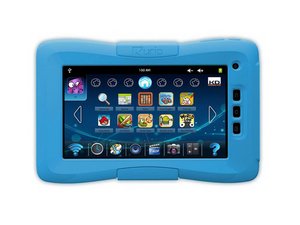

Forgot password need to factory reset
Hello I tried everything from holding volume down and power button to holding all 3 down it just won't reset need your help!!!
声誉积分: 546.7千
 11
11
 421
421
 1.6千
1.6千
Hi @sami02 ,
I know that you said that you tried everything, but the User manual (scroll to p.46) says to :
Press and hold simultaneously on ″Vol+″ and ″Power″ buttons until your Kurio resets.
Perhaps you didn’t hold the 2 buttons long enough.
If doing this still doesn’t work, then perhaps you could disconnect the battery from the tablet’s systemboard for a few minutes before reconnecting it to the systemboard. (You’ll need a soldering iron to do this, You only have to disconnect the battery, not remove it).
When you have the battery disconnected, hold the tablet’s Power button operated for about 30 seconds to drain any residual power from the tablet as well.
After the battery has been reconnected try starting the tablet either “normally” or by the “reset” method and see if it now works.
Here’s a link to the ifixit Kurio 7 Battery Replacement guide, which may be of some help.
这个答案有帮助吗?
NO! I don’t care what the user manual says. I have this tablet and it is a nightmare.
YOU NEED TO HAVE THE TABLET TURED ON! HOLD VOLUME UP AND POWER BUTTON IT WILL TAKE 5 seconds if not a few more…. It will power off KEEP HOLDING! Then kurio screen will appear LET GO! Recovery mode will follow. If you slip and let go of any button at anytime, start my process again.
Kurio 02018 android 100% tested by me 😉
这个答案有帮助吗?
过去 24 小时: 1
过去 7 天: 8
过去 30 天: 31
总计 1,999



2条评论
My Kurio 7 stuck on Kurio Series how do I fix it
由 Debbie Sellers 完成的
Screen is stuck on Kurio Series
由 Debbie Sellers 完成的