跳转到主内容

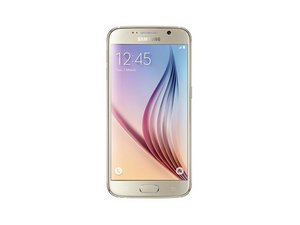
发布于2015年3月,并在2015年4月10日上市。盖乐世S6是盖乐世家族又一部旗舰机型。其曲面屏版本被称为盖乐世S6 Edge。

Power key won't work.

My power key won't switch the phone on or off. I tried a reset and it was able to reset, but that didn't fix the problem. I tried volume+/power/home to do the hard reset, but that doesn't work. I held it for over a minute and nothing. This all happened after the phone (S6) powered itself on.

回答此问题 我也有这个问题

这是一个好问题吗?

得分 0
2条评论

To hard reset samsung phones you need to hold volume down + power + home for 10-15 seconds. Volume up won't work.

完成的

No, the power/volume -/home key switches it into the install custom operating system mode. Volume +/power/home is supposed to switch it to safe mode and reset the phone or do factory reset.

完成的

添加一条评论

1个答案

最有帮助的答案

Alberta Brink I'd start off by checking things out according to the flowchart

Block Image

This will help you determine if it is your power button flex or something more sinister on the circuit board itself. If it is your power button, replace it with one of these Galaxy S6 Power Button Cable

Replace power button ribbon cable with the internal button switch and contacts for a Samsung Galaxy S6. The external power button cover is not included.图片

产品

Galaxy S6 Power Button Cable

$6.99

这个答案有帮助吗?

得分 1

3条评论:

It won't turn on unless I hold the power and volume - key at the same time, and it won't switch off at all until the battery dies.

完成的

And all that is way too technical for me. I just need to know is it's a software issue or not. If it's not, I need to take it to be repaired.

完成的

If it "won't turn on unless I hold the power and volume - key" then it does turn on. This does not sound like a power switch issue. So it is entirely possible that it is software related.

完成的

添加一条评论

添加你的答案

Alberta Brink 将永远感激不已
浏览统计数据:

过去 24 小时: 0

过去 7 天: 0

过去 30 天: 4

总计 139