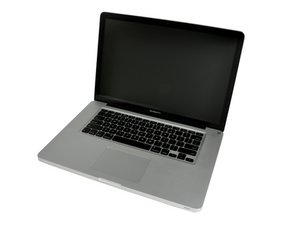
Vertical lines on the matte display
Hello
I have vertical lines on my matte display


Can switch with MacBook Pro 2011 display ?
Thanks

声誉积分: 843.3千
 1.4千
1.4千
 946
946
 2.4千
2.4千
@andregomes those appear to be TAB errors. Those cannot be fixed and you will have to replace the LCD.
@andregomes if I remember right the LCD's are the same but the connector is a bit wider. While the pinout is the same. You would have to remove some of the metal on the sides of the connector from the screen to fit the one on the board.
这个答案有帮助吗?
Thanks for the explanation.
And do you know if I can switch with one from a MacBook Pro 2011?
In the MacBook Pro 2012 I have a matte anti-glare display (the one with lines) and in the 2011 a normal glossy one. The issue with the connector will apply in the same way.
Thanks for all you help a lot
In the MacBook Pro 2012 I have a matte anti-glare display (the one with lines) and in the 2011 a normal glossy one. The issue with the connector will apply in the same way?
Yes, since this is model dependent not display.

I’ve also this problem with my early 2011 MBP with 2.0 ghz i7! But just one vertical line on the left. But it is clearly that i need to replace the screen? And not just the video cable or maybe something that have to do with an graphics failure?? I want to upgrade my Logic Board to a mid 2012 model with a 2.6 GHz i7 in the future. Hope to hear something back! Thanks
这个答案有帮助吗?
过去 24 小时: 1
过去 7 天: 2
过去 30 天: 7
总计 1,659
