跳转到主内容
加入维修社区 - 创建账户

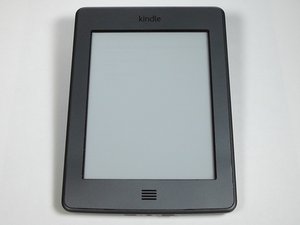
The Kindle Touch (D01200) is 4th generation of Kindle e-readers produced by Amazon. There is Wi-Fi or Wi-Fi/3G capability, all uploads are done by USB cable. It has 4 GB of storage and two months of battery life.

My power button does not work

Power button does not work, e-reader appears to work correctly once started via USB cable into a PC but no other method that I have seen put forward in various articles seems to work including multiple resets, pressing power button for 7, 15, 30 secs. disabling screensaver etc. Guessing this has to be a hardware problem, but if anyone had any other suggestions or options to try before I dismantle this great bit of kit, please let me know. Thanks

回答此问题 我也有这个问题

这是一个好问题吗?

得分 0
添加一条评论

1个答案

Go ahead and take it apart it's easy just remember how the screws are placed. Then remove the battery and remove the front panel. After that go ahead and gently press the power and the home button with your screw driver. When you remove the motherboard there is going to be a square with four pins. Go ahead and clean this square. After that screw everything back how it was and your kindle should work.

这个答案有帮助吗?

得分 0
添加一条评论

添加你的答案

The Dan826 将永远感激不已
浏览统计数据:

过去 24 小时: 0

过去 7 天: 9

过去 30 天: 16

总计 501