
跳转到主内容

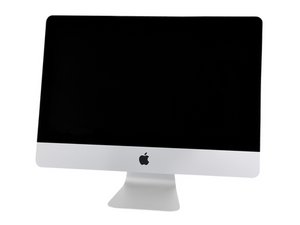
Model A1418 / Late 2013 / 2.7 & 2.9 GHz Core i5 or 3.1 GHz Core i7 Processor

Possible causes in vertical lines of LCD

A few days ago I tried to increase the memory of two iMac's, from 8GB to 16GB, using memory with factory specifications.

In the first everything turned out as expected, however, in the second, after making the change, the LCD screen showed two vertical lines since the system started. I replaced the original memories and the problem persists, have I damaged any components?

Which component could have been damaged? Thank you very much for your comments and suggestions.

Actualización (24/08/17)

This is how look

Block Image
已回答! 显示答案 我也有这个问题

这是一个好问题吗?

得分 0
1条评论

@joepep post some pictures of what your display shows with your question. That way we can see what you see. 在已经存在的问题里加入图片

完成的

添加一条评论

1个答案

已选择的解决方案

@joepep - Jose I've got some bad news here ;-{ When you tried opening your system without using the correct tools and technique you damaged the LCD displays fragile wiring. Sadly, this is not repairable. You'll need to replace it with a new screen: iMac 21.5" Display LCD Assembly, Late 2012 / Late 2013

Here is the proper IFIXIT guide to follow: iMac Intel 21.5" EMC 2638 Display Replacement

And the needed tools:

And you'll need at least one set of adhesive strips: iMac Intel 21.5" (2012-2017) Adhesive Strips

Handy tool for opening devices, spreading thermal paste, and scraping. Same as Apple Tool Part# 922-7172图片

产品

Plastic Cards

$2.99

Thin prying tool for opening electronic devices. Opening picks are essential to open any iPad, tablet, or smartphone sealed with adhesive.图片

产品

iFixit Opening Picks (Set of 6)

$4.99

Cutting wheel for releasing the adhesive on some iMac models.图片

产品

iMac Opening Wheel

$7.99

这个答案有帮助吗?

得分 1
添加一条评论

添加你的答案

Jose Neftali 将永远感激不已
浏览统计数据:

过去 24 小时: 0

过去 7 天: 1

过去 30 天: 6

总计 696
