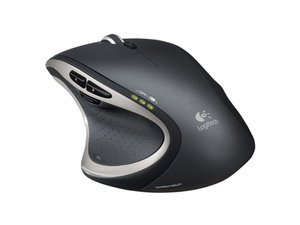

Mouse wheel rubber replacement
The rubber on the scroll wheel is somewhat loosen up on my Logitech Performance MX. This renders the wheel to operate without the frictionless scrolling. How to tighten or replace this rubber
声誉积分: 49
 2
2
 1
1
声誉积分: 37
1
Exceedingly common problem that happens very quickly with this mouse. The rubber loosens, and the slack gets caught in the gearing.
Just cutting it off seems to be the only solution, though with some trial and error you might find a rubber o-ring that fits it.
这个答案有帮助吗?
Just cut it off, why didn't I think of that? Took it apart and everything, couldn't think to just cut it off. Works perfect now. Thanks bro!
I use silicone rings the kind for women's jewelry, for replacing the rubber. They're for people with metal allergies. Just figure out what size your wheel equates to in ring sizes and get a size down so the ring fits snug around the wheel and won't slip around. I stick to thinner women's sizes cause the regular ones are usually too thick. I ordered a bunch of different thickness/widths from amazon to see which ones worked for my mouse then returned whatever didn't fit.
I will apply this idea to fix my Logitech VX Nano.
这个答案有帮助吗?
声誉积分: 13
1
过去 24 小时: 0
过去 7 天: 9
过去 30 天: 40
总计 8,768


