跳转到主内容

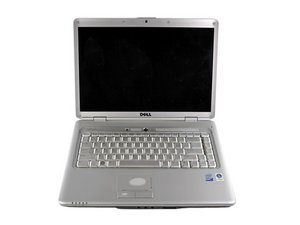
PC laptop by Dell with a 15.4" display. Succeeded the Inspiron 1520.

Help debugging broken screen

I have a Dell Inspiron 1535 (Dell Inspiron 1525)

The screen recently stopped working (no dim image, just off). The computer powers on (although it's very quiet so I imagine it doesn't get very far through the boot).

I've taken it apart (all but removing the LCD bevel as it's a bit stuck still) and I can't see any loose connections.

How would I go about determining which part/parts are broken (I just want to know if it's feasible to repair and what parts I'd need.

Any help on debugging it?

Thanks

回答此问题 我也有这个问题

这是一个好问题吗?

得分 -1
添加一条评论

2个答案

最有帮助的答案

Adam Quaile, the easiest would have been attaching an external monitor. If that works, you will know that your GPU (video card) is okay. If it does not, you will have some serious problems on the motherboard. So, if you still have it assembled, either re-assemble it, or place it together so that you can start it up with an external monitor to see what happens. If the external monitor works, take a look at the display data cable and make sure it is not shaved on or broken. Check the insulation carefully. If the cable looks okay, you may have trouble with either the inverter or the LCD panel. That is a bit tougher to figure out without the properly tools. I'd start with the inverter replacement and work from there. It is cheaper and easier to replace. The inverter is available at places like this and here is a video that shows you how it's done. Hope this helps, good luck.

这个答案有帮助吗?

得分 1

5条评论:

That was actually the very first thing I tried. There is still no picture using an external display, but I know that sometimes there is no picture until the OS is booted (which I don't think it is).

Perhaps it is a motherboard issue then, but again I don't know what to look for here - no loose connections, everything looks ok at face value.

Great video too, by the way. Thanks for your help.

完成的

Even without an OS you will still see that computer either is doing a POST or at least have a splash screen. You do not see anything at all when you start your computer?

完成的

That's correct. With or without an external display, there is no video output whatsoever.

All I hear is the fan starting, the CD drive spinning, and then silence. After a short while the fan does come back on, but still nothing.

完成的

Since you have no video, external or internal, it appears as if you have trouble with your GPU (video card ) on your logic board. You could try a reflow and see if that helps, otherwise you are looking for a new motherboard.

完成的

that could be true turkey but it could of also been his cpu as I have replaced the one in my Compaq cq50 which was doing the exact samething it had burnt out and my sister just gave I t to me for parts for my inspiron 1525 since I needed an hdd #toughest computer built inspiron 1525 still kicking since 07 I replaced the cpu and everything was fine afterwards

完成的

添加一条评论

If your PC works fine with an external monitor then your screen is defiantly gone and you might need to order a new replacement screen to fix it by yourself.

这个答案有帮助吗?

得分 0
添加一条评论

添加你的答案

Adam Quaile 将永远感激不已
浏览统计数据:

过去 24 小时: 1

过去 7 天: 2

过去 30 天: 14

总计 307
