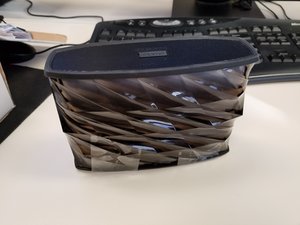
学生贡献的维基
此维基页面由我们教育项目的学生团队编写。
蓝牙连接功能
iHome 或源设备出现蓝牙连接故障。例如,手机已连接但无法播放音频。
蓝牙已开启
确保源设备上的蓝牙设置已开启。此时设备上的蓝牙图标应显示为完全实心,而非虚化状态。
iHome 蓝牙按钮
按住 iHome 按钮直到蓝灯亮起,即可开启设备。蓝牙按钮位于设备控制中心左侧。按住此按钮直到蓝灯闪烁,表示已准备好进行同步。
USB 线缆无法工作
提供的 Mini USB 线缆无法使用。
已插入
确保 USB 线缆两端均已牢固插入。如果问题可能出在 USB 接口本身,请在此处查看我们的主板更换指南。
外部损坏
检查线缆以确保其完全完好。如果线缆部分裸露,请使用电工胶带进行绝缘处理。
线缆可能已损坏
如果上述方案都无法解决你的问题,请申请更换或直接购买一条新的 USB 线缆。
设备无响应
设备无响应。扬声器没有声音,或者无法开机。
设备已开启
检查电源是否开启。按下电源按钮打开设备,电源按钮附近应有蓝灯开始闪烁。
已充满电
确保设备已充满电。充电时,电源按钮附近应显示红灯。请记住,设备只有在充满电后才能开机!
重置设备
如果设备无响应,请将其重置。打开设备,用小针按压设备背面的重置按钮孔 2 秒钟。
检查连接
确保设备已连接蓝牙。连接蓝牙时,蓝灯应为长亮状态,而非闪烁。源设备(如手机)应显示蓝牙图标。
灯光装置
如果设备上的灯不亮,请将扬声器连接至电源开关,然后按住电源按钮 2 秒钟以重置设备。
关闭并重新开启
如果灯仍然不亮,请按“颜色模式”按钮。如果无效,请联系客户服务。或者,如果你可以拆开产品,请在此处查看我们的灯光更换页面。

团队

University of North Texas, Team S1-G3, Thompson Fall 2017 University of North Texas, Team S1-G3, Thompson Fall 2017 的会员
UNT-THOMPSON-F17S1G3
4 名成员
创作了24篇指南

14条评论
First time poster. My iPhone will not charge went thru trouble shooting guid and even with a new working usb cord the iPhone will not charge. From what I can tell the male USB port is damaged. Is this component serviceable?
Austin - 回复 分享
Whenever the lights are turned on there is a high pitched sound whether the music is playing or not. It starts immediately upon the lights being turned on.
Earlena McKee - 回复 分享
Hi
i just bought an iHome speaker iBT78 and the battery level is full, successfully paired, playing music, but the lights doesn’t work!!! Nothing not a single light! I’ve been trying everything…. pulsing the light button turning it on and of and on again…. somebody help me please sad
Ivonne Castro - 回复 分享
Hi ,
Can you please tell me how long will it take the battery to go full ?
Jeet - 回复 分享
Theres one way I came across to playing music on the speaker and that was to using the double sided cord connecting the speaker and phone together defeating the whole purpose of using wireless bluetooth…
My phones gives me the option to unpair but its not connected and when i connect other speakers its says connected right next to the name of the speaker thats bluetoothed. On the speaker the blue light is still blinking when i read that when its connected its supposed to stay blue without flashing in your guide… ive made sure all connections are on, turned bluetooth speaker / my cell off n back on multiple times, checked if all cords are plugged in right after buying new usb charging cords as well, charged it to a full battery, tried pairing while charging too, tried pairing to other phones and even reset the speaker. STILL GOT NOTHING
Help please???????
Christine Lopez - 回复 分享