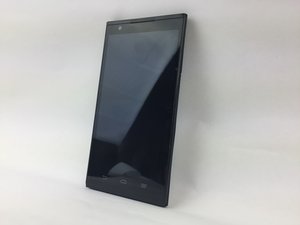
学生贡献的维基
此维基页面由我们教育项目的学生团队编写。
ZTE ZMAX 故障排除
本页面将帮助你诊断手机遇到的问题。
无线连接微弱或无连接
电脑无法连接到无线网络或无法加载网页。
未选择无线连接
点击“所有应用”图标,点击“设置”,然后点击“Wi-Fi”。如果有可用的无线连接,请连接其中一个并确保信号良好。
Wi-Fi 可能已关闭
手机的 Wi-Fi 功能可能已关闭。要开启它,请点击“所有应用”图标,点击“设置”,然后开启 Wi-Fi 开关。
音频质量差或无声音
电脑或兼容音频设备没有声音发出。
音量未开启
手机的媒体音量可能未调整到可听到的水平。要调节音量,请按压手机左侧长条形按钮的上半部分。这应该能增大媒体音量。
底座接口脏污/故障
检查辅助端口是否有脏污或损坏的连接器针脚。使用 90% 或更高浓度的异丙醇和软毛牙刷清洁该端口。如果端口仍然无法工作,则可能需要更换。
手机设置为振动模式
检查“设置”中的系统音频面板,确保手机没有被设置为仅振动。
外接音频设备未正确插入
耳机插头可能未完全插入端口。请检查并确保插入音频端口的音频设备已稳固地连接在端口内。
屏幕冻结或无响应
屏幕无法变化或对输入无反应。
手机需要重启
长按手机的电源按钮,点击“关机”以关闭手机,等待至少 20 秒,然后按住电源按钮直到手机重新开机。
电量低
如果电池电量过低,手机可能会变得无响应。请将手机充电 30 分钟后再使用。
设备运行缓慢
当我进行输入操作时,手机的响应时间很慢。
设备存储容量
手机存储空间可能已接近或达到最大容量,这会降低手机的响应速度。你可以考虑增加可用存储容量,或者删除手机中的内容以释放空间。
运行的应用过多
手机上可能打开了太多的应用或页面。手机一次只能处理有限的信息量,而每个运行的任务都需要消耗处理能力,因此关闭一些应用有助于提升手机运行速度。
设备过热
手机摸起来感觉较暖或发烫
手机发暖/发烫
关闭可能正在运行的应用,让手机在不使用的情况下冷却一小段时间。此外,将手机彻底关机一小段时间也有助于冷却。请保持手机远离热源,将其放置在凉爽干燥的地方且暂时不用。尽量避免在充电的同时长时间使用手机。

团队

USF Tampa, Team S17-G3, Boczar Spring 2018 USF Tampa, Team S17-G3, Boczar Spring 2018 的会员
USFT-BOCZAR-S18S17G3
3 名成员
创作了60篇指南

15条评论
My phone will turn on, but only to the Android display, It will not go to the main page with my apps etc. it flashes on the the android message for several minutes. It did turn on for a a few seconds last night so that I was able to find a phone number from my contacts. now it’s back to flashing on back and forth.
lovethewildchild - 回复 分享
My Max only holds 30 minutes on a full charge with nothing running
ridmdr - 回复 分享
When I try to download an app it gives a msg saying “it's not available in my country”. How am I able to get the app??
Sheresa Thibodeaux - 回复 分享
Typical of cheap phones/computers, the OS HOGS all the memory and in this case, any SD card will not be allowed to take some of that load from phone to free up memory = CATCH 22 = they caught all but 22% of your savings and memory left is even less than that!
We are the suckers that bought this junk
islands7 - 回复 分享
My phone only turns on to the ZTE Android will go no further
Daniel Talley - 回复 分享