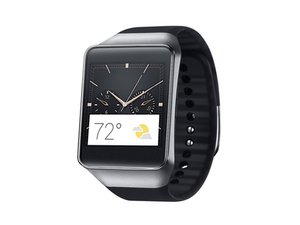
学生贡献的维基
此维基页面由我们教育项目的学生团队编写。
手表无法开机
手表无反应,或没有任何通电迹象。
电池没电
如果你的手表无法开机,很可能是因为电池电量不足。将充电底座连接到手表的背面(显示屏的对面)。确保充电底座牢固地卡入到位。将充电器的 micro-USB 连接器插入底座。将充电器插入通电的交流电源插座中。
电池故障
如果按照充电说明操作后手表电池仍无法充电,则可能是电池出现故障。请参阅“手表无法充电”。
手表无法充电
手表无法充电或无法保持电量。
充电器未连接至工作正常的电源插座
确保充电器已插入工作正常的交流电源插座。如果你在旅行,请确保你的充电器与当地的电源兼容。当手表正常充电时,屏幕上会显示电池图标。
充电器连接不当
手表无法直接连接充电器。你必须先装上充电底座。底座可以扣在手表背面。确保底座对齐并卡入到位。适配器侧面有一个 micro-USB 连接器。确保充电线上的 micro-USB 插头已牢固插入连接器中。
充电器故障
充电器可能已损坏。请尝试更换其他充电器。
电池故障
电池可能已损坏或老化。电池的充放电循环次数是有限的。通常,可充电电池可以使用两年或更久,但其寿命因电池类型、设备和使用条件而异。如需更换 Samsung Gear Live 的电池,可参阅 此处 的指南。
手表不振动
手表不振动,或振动效果不佳。
未开启振动
确保手表已设置为振动模式。
振动马达故障
手表内部有一个微型马达,其转轴上装有一个配重。该配重是不对称的。当马达旋转时,不对称的配重会带动马达(进而带动整个手表)产生振动。马达或马达排线组件可能已损坏。如需更换 Samsung Gear Live 的振动马达,可参阅 此处 的指南。
手表屏幕不显示图像
手表屏幕上没有任何显示。
手表未通电
确保手表已正确充电并已开机。
手表心率监测器无法工作
手表无法记录用户的心率。
设置不当
检查手表佩戴位置是否正确。表带可能在手腕上不够紧。确保你的手腕没有潮湿或污垢,因为这可能会干扰传感器发出的红外光。此外,请确保你正在使用内置的心率监测应用程序,而不是第三方应用程序。如果仍无法工作,心率传感器可能已损坏。详情请参阅“心率传感器故障”。
心率传感器故障
心率传感器可能已损坏。它位于手表内部一块可拆卸的子板上。如需更换 Samsung Gear Live 的心率传感器,可参阅 此处 的指南。

团队

USF Tampa, Team 1-7, Brown Fall 2014 USF Tampa, Team 1-7, Brown Fall 2014 的会员
USFT-BROWN-F14S1G7
3 名成员
创作了72篇指南

5条评论
I think this page looks good. Have you run it by the iFixit staff?
Dan Brown - 回复 分享
hey 2 years back i got a galaxy gear. i used to use it with galaxy mega mobile. now as the android version on galaxy mega is updated, gear is not connecting with it. can any one help me fix it
shakeel ahmed - 回复 分享
My Samsung gear live would not charge....The problem goes as this....The little android green robot came on as I was turning it off....it read "don't turn off, updating so I comply. ..at this point I can't get my phone to go to no menu at all...it stayed on like that till the battery drained...The next two days I trying to charge the phone but to no avail...not charging...I don't see any way to combat this problem. .m what can I do?..please reply.
errolboxill65 - 回复 分享
why my gear watch sm-v700 keeps rebooting & starting up
mellemell2010 - 回复 分享
Despite my efforts, my Gear Live watch is refusing to turn on. I've gone through customer support and achieved no success (obviously, that's why I'm here) except the offer to pay a fee and send it back which I might take up that offer but I would like to see if anyone else has the same problem or any solutions before I shell out money for that.
So far I've:
-Let it sit on a wall charger for 3 hours
-let it sit connected to my laptop for about the same amount of time
-cleaned off the charger and contact points on the back of the watch, no corrosion to either (in fact, the watch is in nearly new condition minus my numerous fingerprints :P)
-tried three different cables and wall chargers
- opened up the watch, reseated the battery, put it back together and tried again, still to no avail
- opened it again, took out a multimeter, got nothing the first time charging it, second time after charging it, it showed 3 volts.
Anything anyone can do would be helpful
Thomas Young - 回复 分享