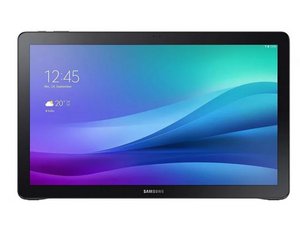
学生贡献的维基
此维基页面由我们教育项目的学生团队编写。
设备无法开机
即使通过电源适配器连接到墙上插座等电源后,设备仍无响应
充电器故障
轻轻按压连接处,确保电源适配器已完全插入充电口。连接稳固后,确认平板电脑上的充电指示灯亮起。如果指示灯未亮,且适配器已接通电源,则说明适配器故障。建议购买替换适配器。
电池故障
轻轻按压连接处,确保电源适配器已完全插入充电口。连接稳固后,确认平板电脑上的充电指示灯亮起。如果指示灯亮起,但平板电脑仅在插入适配器时才能启动(无论充电时间长短),则说明电池故障。请参照此 指南更换电池。
主板故障
如果 Samsung View 无法开机,且在尝试所有其他步骤后仍然完全无响应,请尝试参照此 指南更换主板。
物理损坏
设备曾掉落或受到外部损坏
支架损坏
如果平板电脑背面的支架损坏,请参照此 指南更换支架。
进水损坏
如果设备被大量水泼溅或不慎浸入水中,仍可尝试家庭解决方案。确保设备已完全关机。然后参照此 指南将电池从设备中取出(无需执行重新组装步骤)。为了你和设备的安全,彻底取出电池非常重要。取出电池后,用沾有 90% 异丙醇的布轻轻擦拭设备的所有内部组件,不要用力摩擦。避免用力擦拭非常重要,以免残留纤维留在组件中。让设备静置两小时后再组装,以便酒精使水分蒸发。你需要用全新的电池替换旧电池。
音频失真
平板电脑播放声音时出现问题
耳机插孔松动
通过平板电脑的扬声器测试音频,然后再使用耳机测试。如果仅在使用耳机收听时音频失真,则可能是音频插孔或耳机本身故障。音频断断续续通常是音频插孔松动的迹象,因此请确保耳机的音频插孔已完全插入平板电脑的音频端口。
扬声器故障
通过平板电脑的扬声器测试音频,然后再使用耳机测试。如果音频仅在通过扬声器播放时失真或缺失,则可能需要更换扬声器。请参照此 指南更换扬声器。
按钮失灵
设备侧面的电源按钮或音量按钮无响应
按钮卡滞
当电源按钮或音量按钮无法按下或被卡住时,可能是物理按钮下方有异物导致其故障。请参照此 指南更换电源按钮和音量按钮。
前置摄像头无法工作
设备正面的摄像头拍摄的照片模糊,或无法拍照
Samsung View 需要重启
重启平板电脑是恢复其全部功能的极佳解决方案。如果 Samsung View 正在充电,请先拔下电源,然后按住设备顶部的电源按钮 30 秒以重启设备。
摄像头损坏
开启设备并访问预装的相机应用程序。如果图像失真或为黑色,请尝试参照此 指南更换摄像头。

团队

Cal Poly, Team 4-5, Livingston Fall 2016 Cal Poly, Team 4-5, Livingston Fall 2016 的会员
CPSU-LIVINGSTON-F16S4G5
4 名成员
创作了72篇指南

25条评论
Hai This Anilkumar
I am having Samsung Galaxy view tab 18” T670,Recently i am facing wifi connectivity problem,can any sugget me how can slove my issue.I am from india
Anil Kumar - 回复 分享
Make a new user account. I had this problem in hotels, especial with their wifi connections. When I made a new account I would get the ability to agree to the restrictions to get on to their network. For some reason on my main account it would never put this up to allow for connection. Not sure this is the same opportunity but it may help others. After you get connected, go to Settings and then user and pick your normal account. All should work now. You may have to do this every time or even once daily because some hotels purge and require re-activation.
Holey Royal - 回复 分享
Where do you go to set up a new user account? I am at a hotel ans it says I am connected to their wi fi with a very strong signal, but it won't let me use apps like Netflix.
chpaschav1 - 回复 分享
I have 2 of these machines and I absolutely love them….but both have the same problem now… they drop apps and go back to the main android screen (the opening screen with the clock and app buttons). I used to play Summoners War on them and it will now kick me off anytime it wants. It also will lock up in eBay and other applications. Both machines will almost like pause/flicker and then resume… I have reset one back to factory settings and it did nothing to fix the problem. My grandkids can use it for some videos, but even here it will kick-out. Before all these evens occurred I remember both machines being very warm on the power plug in side. I almost think something over heated and now is not operating correctly. Is this fixable and what can be done to prevent it from re-occurring. Also does anyone know if I will have issues with a Ipad Pro 12.9….because I may have to go to that. Thanks all.
Holey Royal - 回复 分享
My galaxy view is unresponsive and stuck in the on mode. When I plug it in nothing happens. I can't turn it off.
leecyn58 - 回复 分享