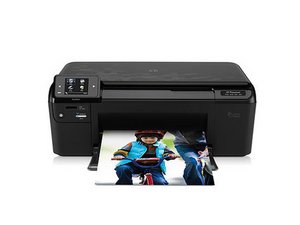
打印机无法开启
打印机可能会意外无法开启。
主板故障
随着时间推移,主板上的元件最终会失效,这可能导致打印机无法开启。导致元件失效的原因有很多,但一种简单的解决方法是 更换整个主板。
电源按钮故障
按钮本身可能因按钮背后的塑料件破损而失灵。这可能是塑料开裂或断裂造成的。按钮与硬件之间失去接触会导致打印机无法开启。更换电源按钮将恢复连接。
打印机无法打印
打印机无法正常工作。
墨盒安装不当
为确保打印机正常工作,设备必须确保其接口与打印机的 PCB(印刷电路板,即与墨盒接触的绿色电路板)接触良好。如果墨盒安装不当,打印机与墨盒之间将无法通信。因此,打印机将无法正常工作。重新安装墨盒,使其接口与 PCB 接触,即可解决此问题。
卡纸
打印纸在打印过程中可能会卡住。纸张皱折或卡住通常是因为打印机一次吸入了多张纸。清除卡纸可让打印机恢复正常工作。
墨盒已空
彩色墨盒最终会用尽墨水。通常电脑会提醒你墨盒墨量不足。解决此问题的方法很简单,即 更换墨盒。
打印效果不佳
打印出来的图像质量可能很差。
墨量过低
墨量过低会负面影响图像和色彩质量。更换墨盒可以解决此问题。
显示屏无法阅读
LCD 屏幕可能会发生故障,导致无法阅读。
屏幕损坏
对打印机的不当处理可能导致 LCD 损坏。LCD 屏幕很脆弱,非常容易损坏。如果损坏,最实用的解决方法是 直接更换 LCD。
LCD 故障
实际的 LCD 模块可能会损坏而无法工作。LCD 屏幕可能会因像素损坏、饱和度褪色和对比度不佳而变得难以阅读。LCD 内部组件损坏或坏掉是导致 LCD 故障的主要原因。更换 LCD 屏幕可以恢复界面的清晰度。
扫描仪无法正常工作
扫描仪故障会导致无法扫描图像。
扫描仪对齐偏移
随着日常使用或因搬动打印机时的不当操作,扫描仪可能会出现对齐偏移。扫描仪偏移会导致扫描出的图像歪斜或偏移。重新校准扫描仪将使打印机能够再次正常扫描文档和图片。
扫描仪玻璃缺陷
扫描仪玻璃对于保护扫描仪并提供平整、透明的扫描文档表面非常重要。如果玻璃损坏或出现问题,必须更换玻璃才能继续进行扫描。

团队

Cal Poly, Team 10-38, Forte Spring 2011 Cal Poly, Team 10-38, Forte Spring 2011 的会员
CPSU-FORTE-S11S10G38
5 名成员
创作了120篇指南

11条评论
How do you repair when it will not pull paper through to copy?
v webb - 回复 分享
Open the document handler cover (Top, left side).
Check to see if any of the small plastic covers are loose. If so, remedy.
There is NOTHING in the UserGuide about this process.
Look also to find if any bits of paper from a previous paper jam in the paper path. You may need to raise the cover and look VERY CAREFULLY between the white strips to see if there are any bits of paper caught. A good tool is to use a strip of paper 2-3cm wide and 30cm long and push it BACKWARDS through the path that you anticipate the paper to traverse. This gentle probing helps find any stuck bits of paper.
quantum033 - 回复 分享
how to connect my Printer D110A , CN731A, to,Lenovo Desktop
meadowhill - 回复 分享
(Expanded, from previous post)
I am assuming that you mean the document feeder on the top.
Open the document handler cover (Top, left side).
There is a diagram pasted on the INSIDE COVER of the document handler cover which shows how to remove the paper feed assembly for the document handler.
It is hard to see, but it actually DOES show where everything goes, and how the paper feed assembly is removed and replaced. It takes some study.
That's how I fixed my document handler... took some time and patience.
If the printer does not feed the sheets onto which you want to copy, then first start with the User Guide. USUALLY it is a stuck torn piece of paper from a previous paper jam. Same "paper probe" trick as above is helpful to clear.
quantum033 - 回复 分享
The black and white is not printing. I have replaced the ink cart. and used the clean the heads feature in the tools directory. Is there anything else to try?
Geoff McHarg - 回复 分享