跳转到主内容
加入维修社区 - 创建账户

HP Photosmart D110a Power Button Replacement

你所需要的

  1. HP Photosmart D110a Power Button Replacement, Power Button: 步骤 1 中的图像 1,1
    • Open the printer's mouth by pulling the two mouth pieces down.

    • Lift the flap covering the scanner. When you are finished, the printer should appear as shown.

    询问修复机器人

    添加评论

  2. HP Photosmart D110a Power Button Replacement: 步骤 2 中的图像 1,1
    • Remove the flap for the scanner by pulling lightly on the clip that attaches it to the printer.

    • The clip may be damaged by applying too much force.

    询问修复机器人

    添加评论

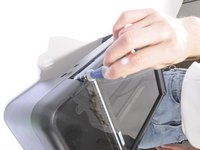
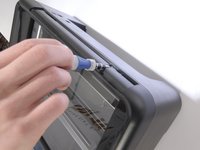
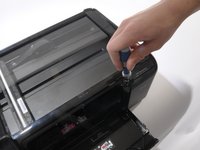
  3. HP Photosmart D110a Power Button Replacement: 步骤 3 中的图像 1,3 HP Photosmart D110a Power Button Replacement: 步骤 3 中的图像 2,3 HP Photosmart D110a Power Button Replacement: 步骤 3 中的图像 3,3
    • Remove the three screws from the top of the printer using a T9 screwdriver as shown.

    • The screws are located in the far-left, far-right, and near-right corners of the printer, with respect to the front view.

    询问修复机器人

    添加评论

  4. HP Photosmart D110a Power Button Replacement: 步骤 4 中的图像 1,1
    • Reach into the mouth of the printer and press the clip behind the power button to release the power button face.

    询问修复机器人

    添加评论

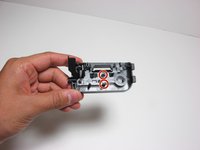
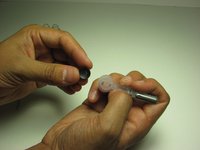
  5. HP Photosmart D110a Power Button Replacement: 步骤 5 中的图像 1,1
    • A picture of the removed power button is provided to show the location of the clip that needs to be pressed.

    • After pressing the clip, pull out the face of the power button by sliding it from the right to the left side.

    询问修复机器人

    添加评论

  6. HP Photosmart D110a Power Button Replacement: 步骤 6 中的图像 1,3 HP Photosmart D110a Power Button Replacement: 步骤 6 中的图像 2,3 HP Photosmart D110a Power Button Replacement: 步骤 6 中的图像 3,3
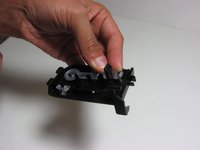
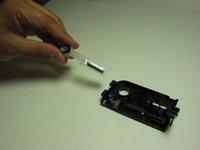
    • The power button face has a plastic holder that attaches the power button and the wireless button to the face plate using two slots.

    • Loosen the plastic holder by pulling the slots on the face plate away from the plastic holder.

    • Remove the plastic holder from the face plate after the slots are loosened.

    询问修复机器人

    添加评论

  7. HP Photosmart D110a Power Button Replacement: 步骤 7 中的图像 1,3 HP Photosmart D110a Power Button Replacement: 步骤 7 中的图像 2,3 HP Photosmart D110a Power Button Replacement: 步骤 7 中的图像 3,3
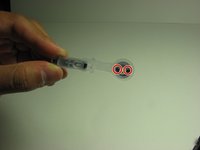
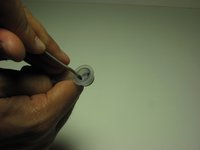
    • The plastic holder secures the power button by two slots.

    • Using a spudger, push the holders inward to detach the button from the plastic holder.

    询问修复机器人

    添加评论

结论

To reassemble your device, follow these instructions in reverse order.

取消:我没有完成这个指南。

另外一个人完成了本指南。

Tim Wise

于04/01/11注册

173 声望

创作了7篇指南

团队

Cal Poly, Team 10-38, Forte Spring 2011 Cal Poly, Team 10-38, Forte Spring 2011 的会员

CPSU-FORTE-S11S10G38

5 名成员

创作了10篇指南

0指南评论

添加评论

浏览统计数据:

过去 24 小时: 0

过去 7 天: 9

过去 30 天: 62

总计 4,066