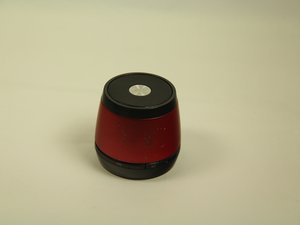
学生贡献的维基
此维基页面由我们教育项目的学生团队编写。
设备无法开机
如果设备无法开启或完全无法充电。
电池
如果设备无法开机,请尝试使用 USB 转 Micro USB 线缆连接笔记本电脑或 PC 充电至少 3 到 4 小时。请记住,在无线连接状态下,电池续航最长为 4 小时;通过音频插孔连接时,续航最长可达 12 小时。
如果充电无效,你可能需要更换电池。点击这里查看如何操作的维修指南。
充电
如果设备无法充电,请尝试连接笔记本电脑或 PC 的其他 USB 端口。如果问题依旧,请尝试更换另一根 Micro USB 线缆。
蓝牙连接问题
如果设备无法通过蓝牙与其他设备连接。
连接
首先,请确保你使用的设备支持连接 HMDX JAM 无线音箱。如果支持,请关闭两个设备的电源,等待 15 秒后重新开启,并确保 HMDX Jam 上的指示灯在闪烁。确认设备显示正在搜索主机。同时,确保你另一台设备的蓝牙功能已开启并处于搜索状态。
音量调节问题
按下音量按钮时,音频输出的音量没有增大或减小。
最大音量
在最大音量时,声音可以充满整个房间,但音频往往会显得有些刺耳。音箱在中等音量下的表现最佳。
连接多个设备时
当音箱连接多个设备时,音质会有明显改善,因为设备可以接收到中低频的声音。但是,在配对状态下调节其中一个音箱的音量,并不会改变另一个音箱的音量。
设备从表面滑落
音箱无法固定在表面的某个位置。设备会从略微倾斜的表面滑落,或非常容易移位。
橡胶底座
这可能是因为音箱的橡胶底座磨损所致。底座可能已经磨损,失去了抓地力,无法固定在表面上。如果你想恢复音箱的稳固性,需要更换橡胶底座盖板。这份指南展示了具体操作方法。
恢复出厂设置
音箱无法与蓝牙设备配对,或者显示已配对但无法从蓝牙设备播放音乐。
语言重置
hxp250
按住减号键片刻,然后按一次加号键即可在循环中切换到下一种语言。
重置
要重置你的音箱,请长按播放/暂停键约 5 秒钟,直到听到声音或红灯闪烁。注意:恢复音箱的出厂设置会清除音箱内存中所有已配对的蓝牙设备。

团队

USF Tampa, Team 1-1, Blackwell Winter 2015 USF Tampa, Team 1-1, Blackwell Winter 2015 的会员
USFT-BLACKWELL-W15S1G1
4 名成员
创作了24篇指南

275条评论
cannot connect my speakers with my laptop through bluetooth.
dilipvira1 - 回复 分享
yoo i tried to connect the aux cord to a ipod nano i had but it keeps only connecting to bluetooth, my phone was crushed so idk what else it would be connecting to. please help!
mcearthessence210 - 回复 分享
I'm having a similar problem with my regular iPod. Connect the aux cord, and the iPod is playing, but can't get any sound. !#^&@@.
alexis arnold - 回复 分享
what ever blue tooth device you got connected to it turn off the blue tooth on it or disconnect it from settings. also make sure the 3.5 jack is fully pushed in it should override the blue tooth and work like any normal speaker
dac96 - 回复 分享
Try resetting it. If it doesn't work then it my be the cord. Cheap aux cord don't last long or sometime are too small. Try testing somewhere like a
Victor cheese - 回复 分享