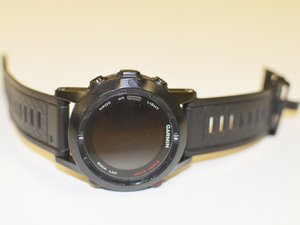
学生贡献的维基
此维基页面由我们教育项目的学生团队编写。
屏幕卡死或对按键无响应
设备运行极慢、卡死且无响应。
操作过多
设备卡死可能是由于手表同时执行多项任务造成的。在重置设备之前,请等待几分钟,然后重试。如果设备仍然无响应,请尝试重置。
执行主重置的方法:确保手表已关机。按压住 DOWN(下)按钮不放,在按住 DOWN 按钮的同时将手表开机。
设备无法充电。
USB 适配器故障
检查 USB 适配器是否已接好。如果已接好,请确保适配器紧密连接在设备背面。如果适配器连接稳固且已插好,请检查并清理设备背面触点上的任何污垢。执行所有这些操作后,如果设备仍然无法开机或充电,请考虑购买替换适配器。
电池续航时间短
电池只能维持几个小时,而不是一整天。
GPS 持续更新
要调整 GPS 设置以优化电池续航时间,请进入 GPS 设置。操作方法:按住 MENU(菜单)键 > 选择 Settings(设置) > 选择 Activity(活动) > 选择相应的活动 > 选择 GPS Mode(GPS 模式)。
如果活动时间约为 8 小时,请选择 Normal(正常)。
如果活动时间超过 8 小时,请选择 UltraTrac,选择合适的间隔时间,最后选择 Done(完成)。
设置配置不当
要将所有设置恢复为默认状态,请执行主重置。执行主重置的方法:确保手表已关机。按压住 DOWN(下)按钮不放,在按住 DOWN 按钮的同时将手表开机。
电池故障
如果你的 Garmin Fenix 2 电池续航时间依然较短,你可能需要更换电池。
屏幕亮度过低
屏幕不够亮。
对比度设置过低
要调整对比度,请按住 MENU(菜单)键,选择 Settings(设置) > General(常规) > Display(显示)。接下来选择 Contrast(对比度),按向上键调暗屏幕,或按向下键调亮屏幕。

团队

IUPUI, Team 54-4, Wilson Spring 2016 IUPUI, Team 54-4, Wilson Spring 2016 的会员
IUPUI-WILSON-S16S54G4
3 名成员
创作了60篇指南

13条评论
Hi,
I connected a Fenix2 to the charger while was wet! It immediately turned off and doesn't turn on at all. What should I do now?
Hanif Khodaverdi - 回复 分享
Hi, All!
I have a question.
Can I replace LCD display on my Fenix2 with LCD display from Fenix 1-gen. ? I think that LCD from Fenix 1-gen. shold be same with Fenix2 Special Edition. Or I wrong?
Waiting for your reply.
Alexandr - 回复 分享
My Fenix 2 watch immediately shuts off as soon as I unplug it from the charger even when the battery is fully charged… Please help.
GabrielL - 回复 分享
I had exactly this issue. It happened when I unplugged my Fenix 2 from a USB charger that supports 1A or 2A - it’s selectable. I tried charging the watch using my PC USB port and now it’s charged and working fine without the charging cable.
jookieapc - 回复 分享
My Fenix2 screen goes blank and the watch restarts whenever I try to start recording an activity. Any suggestions?
Thanks
RP
Ralph Pampino - 回复 分享