此翻译由机器生成,尚未经过人工审核。 会说这种语言吗? 查看评论。
简介
使用本指南更换损坏的主屏幕按钮。
你所需要的
-
-
-
-
-
-
-
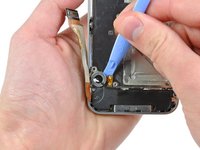
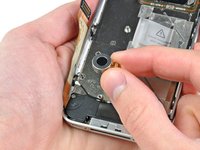
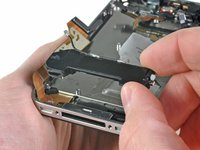
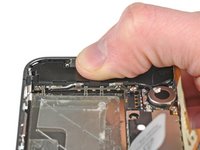
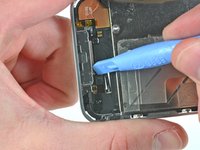
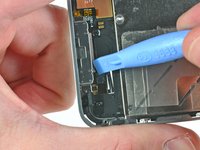
按照以下顺序,断开逻辑板顶部附近的五根排线:
-
耳机插孔/音量按钮排线
-
电源按钮排线
-
前置摄像头排线
-
触摸数字化层排线
-
显示屏排线
-
要断开这些排线,请使用开启工具的边缘,轻轻将它们的连接器撬起,从逻辑板上的插孔中取出。
-
-
-
-
-

 询问修复机器人


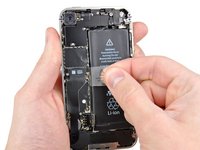
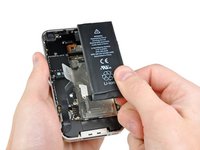


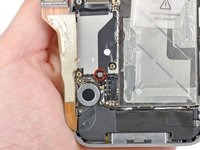
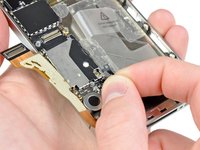


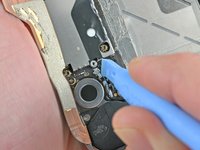
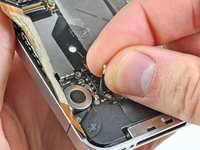


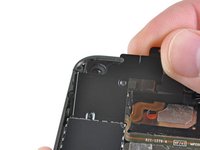
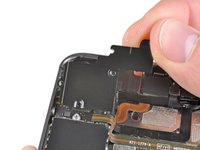


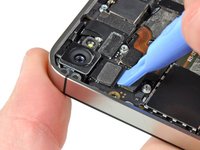
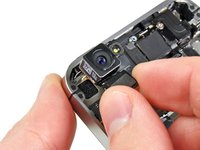


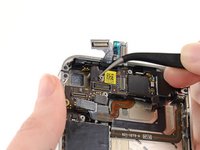
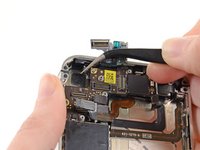








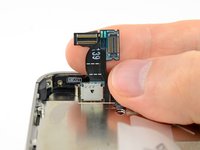
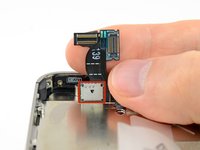


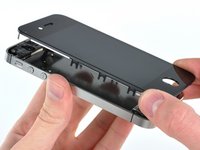
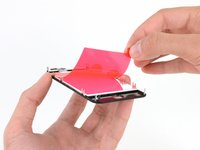




要重新组装设备,请按相反顺序执行这些说明。
129等其他人完成本指南。

3指南评论
How can a company that prides itself on simplicity and elegance make something so needlessly unserviceable? I don't mind the small screws, even if I wonder how many of them really need to be there... but the fragile cables, little black spacers, the pentalobe screws and the glue - oh the inhumanity of the glue! The only thing that makes me happy is, now that Tim Cook's decided that they're going to service these things in-store, the thought of Apple employees sending an earful of expletives up the management chain.
Small and fragile = lite weight. And all of those spacers and glue is to keep everything in place and prevent those small and fragile parts from breaking as you use the phone. If you want a tiny, lite phone there are compromises. And Apple's mantra has never been serviceability. It's about getting you to upgrade to the new cool thing every 1-2 years, way before the phone would normally need servicing. And the Apple store really only services new batteries and screens. For pretty much everything else they just give you a new phone.
is there a way to remove the button without replacing the cable?
