跳转到主内容

iPhone 3GS的前面板更换

你所需要的

视频概述

  1. iPhone 3GS的前面板更换, 破碎的玻璃面板: 步骤 1 中的图像 1,3 iPhone 3GS的前面板更换, 破碎的玻璃面板: 步骤 1 中的图像 2,3 iPhone 3GS的前面板更换, 破碎的玻璃面板: 步骤 1 中的图像 3,3
    • 如果您的前盖板玻璃碎裂,请保持它现在的状况,并在修理时贴上胶带防止人身伤害。

    • 把透明胶带粘满整个前面板

    • 这将使拆机时玻璃碎片不会散开

    • 戴上安全眼镜,以保护你的眼睛免受任何玻璃的伤害。

  2. iPhone 3GS的前面板更换, 屏幕: 步骤 2 中的图像 1,1
    • 移除位于手机底部充电口的两颗 #00 螺丝。

    • 当你把iPhone拆开时,要小心螺丝类型,避免螺丝拧错造成设备损坏。

  3. iPhone 3GS的前面板更换: 步骤 3 中的图像 1,1
    • 从吸盘中取出金属手柄。更容易和更安全地抓住吸盘的底部,而不是金属手柄。

    • 打开iPhone时要非常小心,这样显示屏下方的电缆就不会被扯断。

    • 在银色挡板和黑色显示组件之间有一个橡胶垫圈。在这个步骤中需要一点力来分离iPhone的显示器组件。

    • 在主屏幕按钮附近使用一个小吸盘轻轻地拉动iPhone显示屏组件的下部。

    • 如果显示组件损坏得太厉害,不能允许吸盘粘附,可以使用带有强粘合剂的胶带,例如布基胶带。

  4. iPhone 3GS的前面板更换: 步骤 4 中的图像 1,1
    • 显示器组件仍然通过几根电缆连接到iPhone,所以不要试图完全移除它。

    • 拿起显示组件直到它的角度大约为45度。

  5. iPhone 3GS的前面板更换: 步骤 5 中的图像 1,1
    • 继续用一只手拿住显示部件,然后用你的另一只手用撬棒断开标着“1”的排线。

    • 排线“1”连接到了一个插入式的插座。线缆末端的接头仅需插入主板上的的插座即可。没有其他的机械锁定结构。

  6. iPhone 3GS的前面板更换: 步骤 6 中的图像 1,1
    • 旋转显示屏部件至大约垂直。这将便于断开剩下排线。

    • 使用撬棒断开标有 “2” 的排线。

  7. iPhone 3GS的前面板更换: 步骤 7 中的图像 1,2 iPhone 3GS的前面板更换: 步骤 7 中的图像 2,2
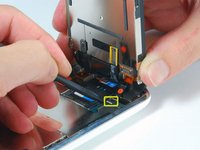
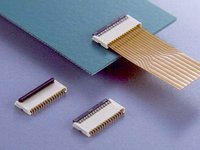
    • 排线“3”由一个 FPC 排线座固定住。你需要在将排线滑出之前解锁连接器。锁定结构在线缆被插入侧的对侧——它需要旋转90度。使用塑料撬棒以抬起锁定结构。

    • 排线锁片非常脆弱并且通常和排线座的主体有着不一样的颜色。(见排线座打开和关上的详情图)

    • 将黑色排线滑出插槽,然后将iPhone的显示部件移除。

    • 在锁片不解锁的情况下无法正确地将排线插入连接器。确保在插入/拔出排线时,锁片是解锁的状态。

  8. iPhone 3GS的前面板更换: 步骤 8 中的图像 1,1
    • 移除在显示屏部件角落的单个十字形#00螺丝。

  9. iPhone 3GS的前面板更换: 步骤 9 中的图像 1,1
    • 移除显示屏部件右侧的两颗十字形 #00 螺丝。

  10. iPhone 3GS的前面板更换: 步骤 10 中的图像 1,1
    • 将显示部件转过来,如果在显示部件边缘有一小条黑色的胶带,请将其小心地揭下。

    • 保持这条胶带的粘性可能很棘手。我们建议将这条胶带贴在一张涂蜡的纸上(任何的贴纸下方的离型纸都可以)。

  11. iPhone 3GS的前面板更换: 步骤 11 中的图像 1,1
    • 移除显示屏部件左侧的三颗十字形 #00 螺丝。

  12. iPhone 3GS的前面板更换: 步骤 12 中的图像 1,1
    • 将显示部件再次翻起,将金属撬棒小心地插入显示部件边缘的两条导轨之间。轻轻地旋转撬棒来将LCD显示屏从玻璃面板分离。

  13. iPhone 3GS的前面板更换: 步骤 13 中的图像 1,1
    • 将液晶显示器(LCD)从玻璃上的排线滑开来分离液晶显示器(LCD)和玻璃

  14. iPhone 3GS的前面板更换, 前面板: 步骤 14 中的图像 1,1
    • 这张图显示了移除LCD后应该剩下的部分。

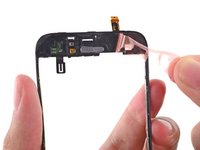
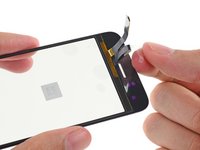
  15. iPhone 3GS的前面板更换: 步骤 15 中的图像 1,3 iPhone 3GS的前面板更换: 步骤 15 中的图像 2,3 iPhone 3GS的前面板更换: 步骤 15 中的图像 3,3
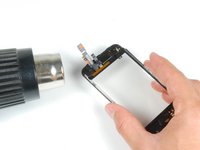
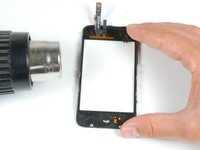
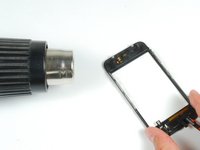
    • 接下来的步骤会要用到热风枪,请务必加倍的小心!请用非常低的温度设置,确保不要让触摸屏上的塑料或者Home键之类的地方熔化了。金属框架导热性非常强,所以小心别触摸这些烫手的区域。

    • 如果玻璃的顶部或者底部碎了,取出碎片时要格外耐心和小心。极端状况下您可能要小心地去除黏在塑料上面的玻璃碎片。

    • 使用热风枪或者吹风机加热触摸屏的左上角区域。

    • 用指甲慢慢把左上角抬起来。触屏的塑料面板是用粘合剂固定在屏幕上的,所以可能要一点力气和耐心来把这个角撬起来。

    • 如果撬塑料面板时感觉到需要很大的力气,请再次使用热风枪加热。

    • 对于右侧重复这个加热-抬起的流程。

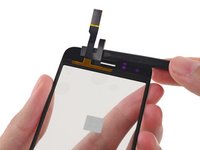
  16. iPhone 3GS的前面板更换: 步骤 16 中的图像 1,2 iPhone 3GS的前面板更换: 步骤 16 中的图像 2,2
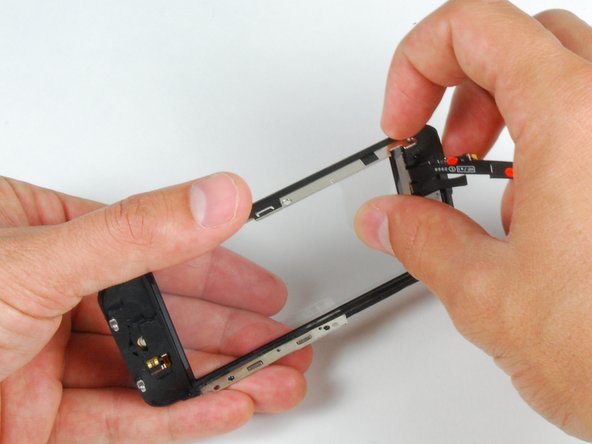
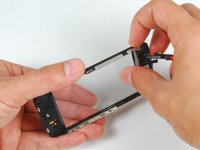
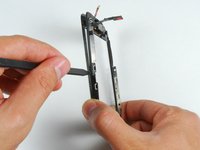
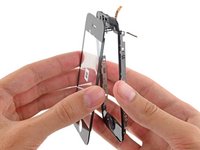
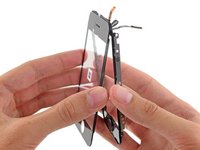
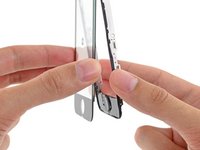
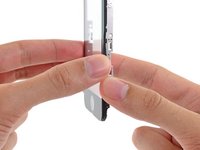
    • 顶部松开后,使用热风枪加热触屏的侧面。

    • 使用撬棒撬开屏幕两侧的塑料件。

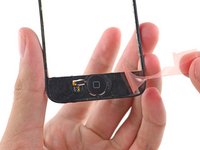
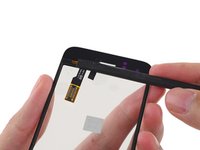
  17. iPhone 3GS的前面板更换: 步骤 17 中的图像 1,3 iPhone 3GS的前面板更换: 步骤 17 中的图像 2,3 iPhone 3GS的前面板更换: 步骤 17 中的图像 3,3
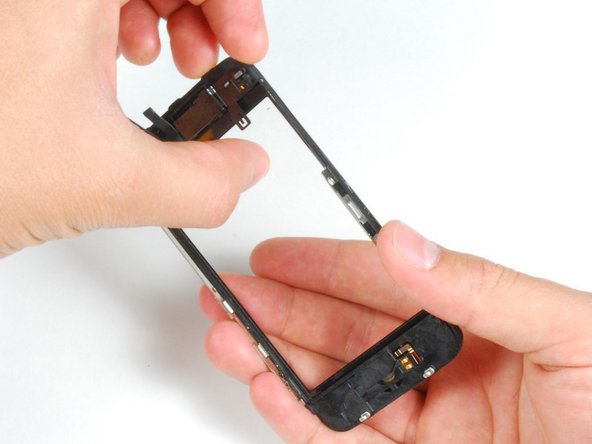
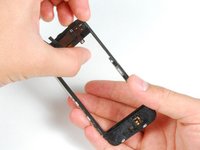
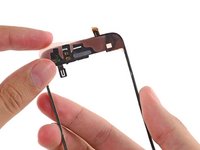
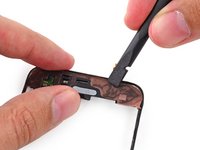
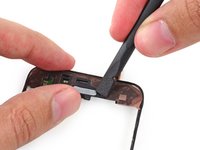
    • 用热风枪加热底部的角落。

    • 继续用手指甲撬起来这些角落。

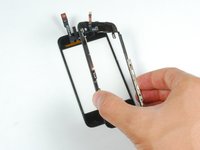
    • 从触摸屏上取下这些塑料。

  18. iPhone 3GS的前面板更换: 步骤 18 中的图像 1,1
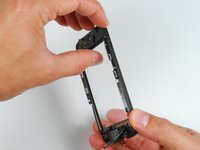
    • 为了更好地粘贴新面板,请尽可能清理前面板框架上残留的粘合剂。

    • 这会确保贴合度并确保新粘合剂能更好粘附。

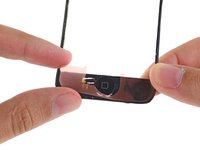
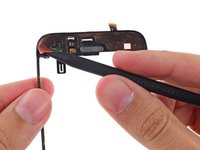
  19. iPhone 3GS的前面板更换: 步骤 19 中的图像 1,3 iPhone 3GS的前面板更换: 步骤 19 中的图像 2,3 iPhone 3GS的前面板更换: 步骤 19 中的图像 3,3
    • 将定制的粘合条/双面胶黏贴在前塑料面板的上部区域。

    • 使用撬棒扁平的一段将其压到塑料框架上。

    • 这样做可以去除气泡并且确保良好的贴合效果。

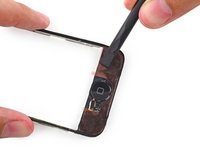
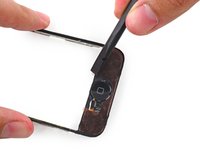
  20. iPhone 3GS的前面板更换: 步骤 20 中的图像 1,3 iPhone 3GS的前面板更换: 步骤 20 中的图像 2,3 iPhone 3GS的前面板更换: 步骤 20 中的图像 3,3
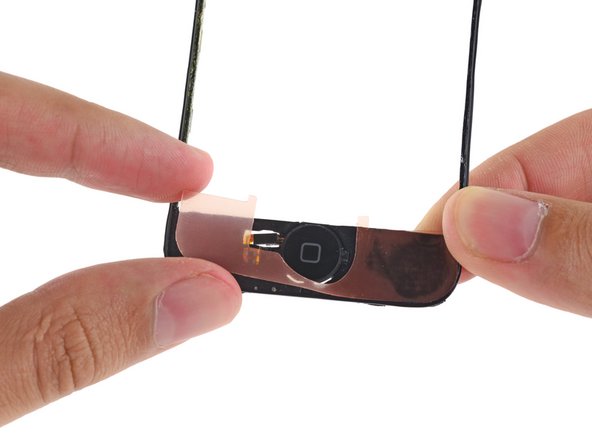
    • 将第二条粘合条/双面胶粘在前面板框架的Home键一端。

    • 用撬棒的扁平一端在胶条上滑动,让它粘牢,挤出贴纸下面的气泡。

  21. iPhone 3GS的前面板更换: 步骤 21 中的图像 1,3 iPhone 3GS的前面板更换: 步骤 21 中的图像 2,3 iPhone 3GS的前面板更换: 步骤 21 中的图像 3,3
    • 首先使用撬棒尖的一端,将前面板塑料上的背衬剥离下来。

    • 这背衬还挺薄,确保你只是把背衬撕下来了而没把粘合剂一起撕掉。

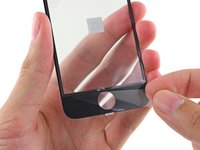
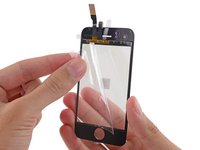
  22. iPhone 3GS的前面板更换: 步骤 22 中的图像 1,3 iPhone 3GS的前面板更换: 步骤 22 中的图像 2,3 iPhone 3GS的前面板更换: 步骤 22 中的图像 3,3
    • 撕下前面板玻璃内测的保护性塑料膜。

    • 一共有三个独立的部件:确保撕下了Home键部分中央的玻璃部分以及线下边的部分。没撕干净会导致粘合不牢固然后显示模糊。

    • 尽量别触碰玻璃内侧,你不想在显示屏玻璃层之间留下指纹的。

  23. iPhone 3GS的前面板更换: 步骤 23 中的图像 1,3 iPhone 3GS的前面板更换: 步骤 23 中的图像 2,3 iPhone 3GS的前面板更换: 步骤 23 中的图像 3,3
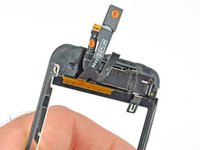
    • 将前面板的排线折叠,使其远离Home键的凹槽,免得碍事。

    • 连接线标有“#2”的那根线在组装前后面板时要按照图片所示的位置放。

  24. iPhone 3GS的前面板更换: 步骤 24 中的图像 1,2 iPhone 3GS的前面板更换: 步骤 24 中的图像 2,2
    • 确保上部排线已妥善折叠,将前玻璃的上边缘与前面板框架对齐。

  25. iPhone 3GS的前面板更换: 步骤 25 中的图像 1,2 iPhone 3GS的前面板更换: 步骤 25 中的图像 2,2
    • 将前面板和前面板框架按压在一起,确保Home键那一块是完全对齐的。

  26. iPhone 3GS的前面板更换: 步骤 26 中的图像 1,1
    • 大力按压手机的两端,确保粘合剂给部件粘牢了。

结论

将您的设备,遵循这些指示,以相反的顺序。

541等其他人完成本指南。

由衷感谢以下译者:

en zh

100%

jerrychiu正在帮助我们修复这个世界! 您也想加入吗?
开始翻译 ›

8指南评论

Step 15:

the screen sort of sits in the plastic because of the band of material running around the perimeter of the assembly being more firmly attached to the plastic than the screen. I found this step much easier to complete the second time around because i knew to dig my nail in between the screen and the material running around the perimeter of the assembly in a front to back motion. Then i pivoted my nail up 90 degrees so it was between the plastic and the screen and was able to gently pry them apart while heating.

tdbrennan - 回复

i second that, it should really be another bulletpoint because its really hard to see if you are not looking for it. Something like:

Push gently on the thin plastic bezel surrounding the frontpanel, do not try to push into the side of the assembly. It can look like there is a seam but there is not!

Its really the only way to get it done without ripping off any parts of the plastic bezel... it does not show when reassembled but its creating a wide portal for dust particles.

Jygga fey -

NOTE: Just completed the installation and was supremely frustrated when the screen didn't turn back on. My first inclination was that the 3rd connector wasn't seated properly...so I opened up and re-attached 3 times. With girlfriend peering over my 'soon to be a failure of a bf' shoulder, I asked her to google up a 'hard reset'. Eureka. Hold down the black nav button and the top power button at the same time until the silver apple reappears. Crisis averted, great tutorial otherwise!

adam - 回复

When removing the broken glass, be sure to remove adhesive from the side rails of the iPhone front panel assembly, otherwise your front panel won't fit as snugly as it should.

When reassembling, take care to properly insert ribbon cable 3, as it is much easier to remove it than it is to install it. Having an extra set of hands was invaluable for this repair.

thomasreznick - 回复

I wish the instructions warned me to make sure a sim card is in the socket before reassembling, and/or they gave detailed reassembly instructions, and/or had higher quality pictures (I zoomed in on the pictures multiple times while reassembling, and could not see exactly how things were supposed to fit back together). My replacement went well, and all was working perfectly, but a piece of the cable was apparently sticking down into the sim card socket, and when my 21 yr old son forced the sim card it, it destroyed the cable that is attached to the plastic speaker assembly. Now I get to buy the more expensive repair kit that includes that part, and try again. D amn, I'm frustrated. -Bill

wkirke - 回复

添加评论

浏览统计数据:

过去 24 小时: 105

过去 7 天: 774

过去 30 天: 2,541

总计 406,288