此翻译由机器生成,尚未经过人工审核。 会说这种语言吗? 查看评论。
简介
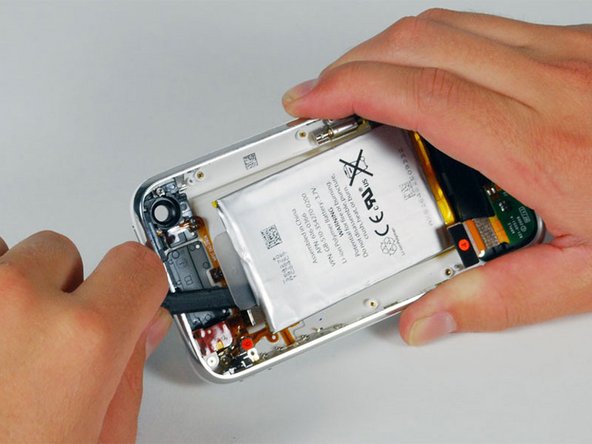
电池续航时间变短了?那就把它换掉吧。
你所需要的
视频概述
-
-
-
-
-
移除下列的 8 颗螺丝:
-
用于将主板固定至后壳的五颗 2.3 mm #00 半螺纹十字螺丝。
-
用于固定主板和摄像头的两颗 2.3 mm #00 全螺纹十字螺丝。
-
在 “Do not remove” 贴纸下方的一颗 2.9 mm #00 十字螺丝。
-
装回时的说明:
-
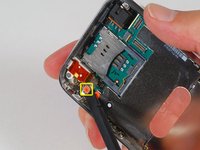
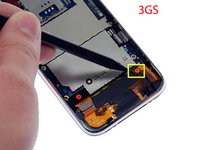
摄像头旁的那颗螺丝(右下角高亮标记的螺丝)有一条用于固定摄像头在位的金属条。
-


 询问修复机器人




要重新组装设备,请按相反顺序执行这些说明。
2465等其他人完成本指南。

100指南评论
pay close attention to the pictures
use a business card type refrigerator magnet to keep the screws in order and to keep them from being lost. Its hard to see the black plastic latch that retains the ribbon number 3, it simply flips up toward the top of the phone. go slow and methodical.when reinstalling insert the Sim card holder before replacing all the screws, it helps to hold the board in the proper place.
There is a tiny metal clip that holds the camera down on my iPhone 3GS. It fell out after I had removed the screw that holds the camera in place, as directed. Only intuition and good luck allowed me to figure out where it had come from.
I also found out that the connector for my camera came loose from the BACK of the logic board. it snapped back in place, no problem, but I could have easily tried reassembling the phone without it connected, and either found things didn't want to fit, or ended up without a functioning camera, and a panic attack that I had clumsily destroyed same.
Hi. The little metal clip that holds the camera fell out for me too. Where exactly do you reinstall it and how does it line up? Thanks.
Simple Simon - 回复 分享
