此翻译由机器生成,尚未经过人工审核。 会说这种语言吗? 查看评论。
简介
iPhone 的塑料后半部分。
你所需要的
-
-
-
-
-
移除下列的 8 颗螺丝:
-
用于将主板固定至后壳的五颗 2.3 mm #00 半螺纹十字螺丝。
-
用于固定主板和摄像头的两颗 2.3 mm #00 全螺纹十字螺丝。
-
在 “Do not remove” 贴纸下方的一颗 2.9 mm #00 十字螺丝。
-
装回时的说明:
-
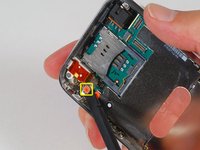
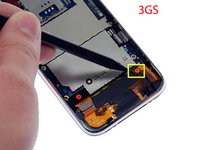
摄像头旁的那颗螺丝(右下角高亮标记的螺丝)有一条用于固定摄像头在位的金属条。
-
-
-
-
拆下以下 4 颗螺丝:
-
三颗 1.8 mm Phillips #00 螺丝,用于将耳机插孔和 GPS 天线固定在后壳上。请留意你拆下螺丝的顺序,因为左侧的那颗螺丝头稍大一些。
-
一颗位于耳机插孔附近塑料环中的 3.8 mm Phillips #00 螺丝。
-
-
-
-
-
拧下两颗固定振动器与后壳的 1.9 mm Phillips #00 螺丝。
-
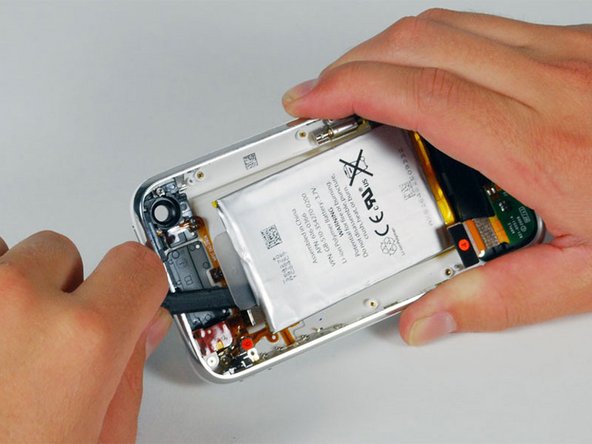
将振动器提起并从 iPhone 中取出。
-
请将这些螺丝与其他螺丝分开存放,因为它们的直径比其他螺丝更小。
-


 询问修复机器人






要重新组装设备,请按相反顺序执行这些说明。
227等其他人完成本指南。

11指南评论
After completely disassembling the phone, I have a leftover small piece (~1cm long) of metal with a screw hole. I cannot for the life of me figure out where this small metal piece goes. Does it have anything to do with the black strip visible still left attached to the rear panel in Step 30?
Charlie
Help! When I gently pulled on the suction cup to open up the phone the glass screen came away, not the whole front assembly. It looks like it was badly glued down (previous (paid!) repair). How do I now get the front assembly up?
When I gently pulled on the suction cup the front glass came away from the bezel. This seems to be the result of a previous bad repair job. Now I wonder how to pull up the front assembly???
