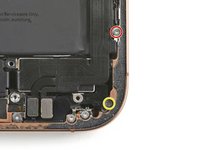
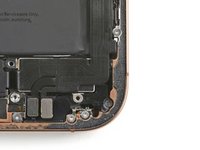
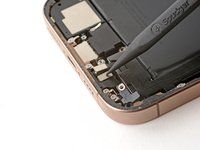
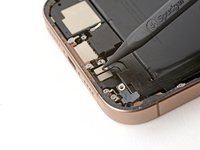
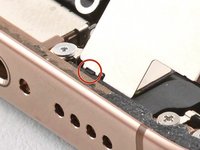
Installation steps for the Taptic Engine in the iPhone 16 Pro Max.
Lay the Taptic Engine in its recess.
Use your finger to pivot the corner bracket down into place.
Use a Phillips screwdriver to install the 2.1 mm‑long screw securing the Taptic Engine.
Use your finger to gently press the lower assembly cable onto the top of the Taptic Engine.
Install the two screws securing the lower assembly cable:
One 1.0 mm‑long tri-point Y000 screw
One 1.3 mm‑long Phillips screw
Use your finger or a spudger to press and connect the two lower assembly cable connectors.
Lay the Taptic Engine cover in place and align it by its screw holes.
Make sure the bottom edge of the cover latches properly to the frame.
Use a Phillips screwdriver to install the three screws securing the Taptic Engine cover:
One 2.9 mm‑long screw
One 1.3 mm‑long screw
One 2.4 mm‑long screw
Use your finger or a spudger to press the assembly cable connector onto the logic board.
取消:我没有完成这个指南。
与1其他贡献者
于01/03/18注册
316,899 声望
创作了730篇指南
徽章: 47
+ 44更多徽章
Staff
123 名成员
创作了23,996篇指南
选择一个尺寸并复制下面的代码,将本指南作为一个小插件嵌入到你的网站/论坛中。
过去 24 小时: 0
过去 7 天: 0
过去 30 天: 0
总计 72