跳转到主内容
加入维修社区 - 创建账户

iPhone 16 Pro Max Front Camera Removal

仅作为前提条件
本指南仅提供前提条件!本指南是另一个程序的一部分,不能单独使用。

你所需要的

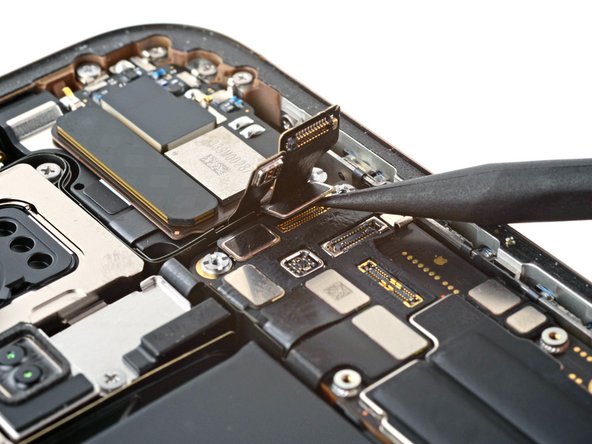
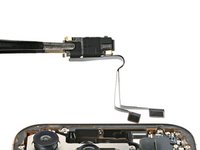
  1. iPhone 16 Pro Max Front Camera Removal, Remove the front camera assembly: 步骤 1 中的图像 1,3 iPhone 16 Pro Max Front Camera Removal, Remove the front camera assembly: 步骤 1 中的图像 2,3 iPhone 16 Pro Max Front Camera Removal, Remove the front camera assembly: 步骤 1 中的图像 3,3
    • Use the point of a spudger to pry up and disconnect the earpiece speaker and 5G mmWave antenna connectors.

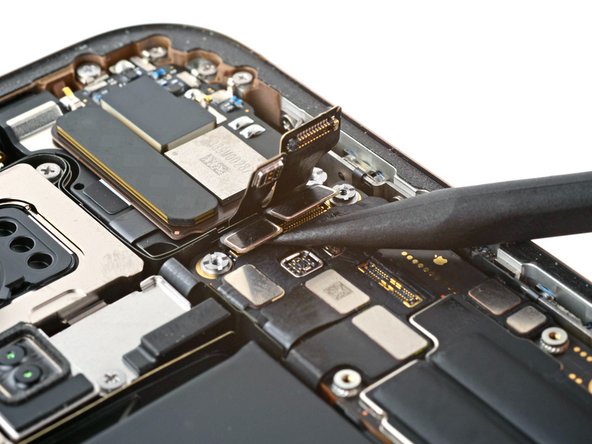
  2. iPhone 16 Pro Max Front Camera Removal: 步骤 2 中的图像 1,3 iPhone 16 Pro Max Front Camera Removal: 步骤 2 中的图像 2,3 iPhone 16 Pro Max Front Camera Removal: 步骤 2 中的图像 3,3
    • Use the point of a spudger to pry up and disconnect the two front camera assembly connectors underneath the previous connectors.

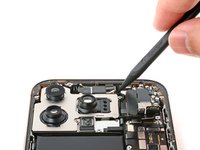
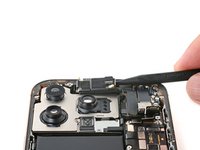
  3. iPhone 16 Pro Max Front Camera Removal: 步骤 3 中的图像 1,3 iPhone 16 Pro Max Front Camera Removal: 步骤 3 中的图像 2,3 iPhone 16 Pro Max Front Camera Removal: 步骤 3 中的图像 3,3
    • Pry up and remove the front camera assembly.

终点

Arthur Shi

于01/03/18注册

323,249 声望

创作了793篇指南

团队

iFixit iFixit 的会员

Staff

124 名成员

创作了24,173篇指南

0指南评论

添加评论

浏览统计数据:

过去 24 小时: 2

过去 7 天: 10

过去 30 天: 34

总计 393