跳转到主内容
加入维修社区 - 创建账户

Zoomer Dino Boomer Back Button Replacement

你所需要的

    1. Zoomer Dino Boomer Back Button Replacement, Back Cover: 步骤 1 中的图像 1,1
      • Power off Zoomer Dino Boomer before disassembly.

      • Remove the eight 9.3mm Phillips #1 screws.

      询问修复机器人

      添加评论

    2. Zoomer Dino Boomer Back Button Replacement: 步骤 2 中的图像 1,2 Zoomer Dino Boomer Back Button Replacement: 步骤 2 中的图像 2,2
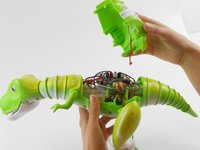
      • Turn dinosaur over and hold upright.

      • Use the spudger to pry apart the back cover from the remainder of the Zoomer Dino Boomer.

      • Be gentle while removing the back cover. The back cover of the Zoomer Dino Boomer is still connected to the electronic system by a wire.

      询问修复机器人

      添加评论

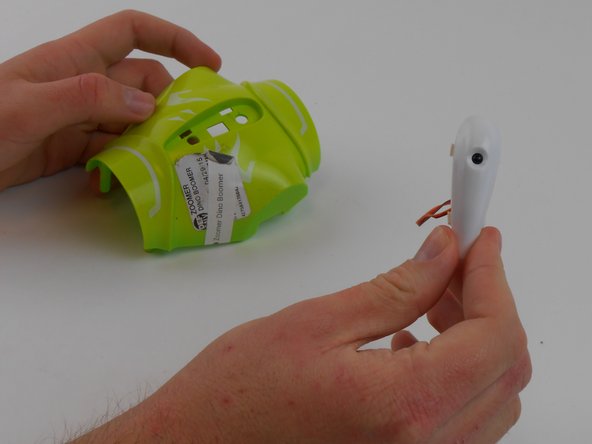
    3. Zoomer Dino Boomer Back Button Replacement: 步骤 3 中的图像 1,3 Zoomer Dino Boomer Back Button Replacement: 步骤 3 中的图像 2,3 Zoomer Dino Boomer Back Button Replacement: 步骤 3 中的图像 3,3
      在这个步骤中使用的工具:
      Tweezers
      $4.99
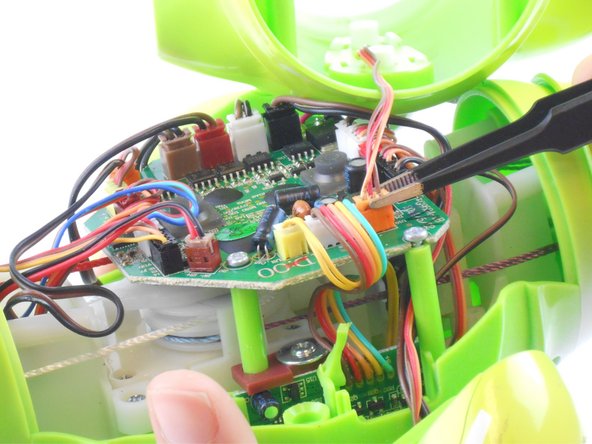
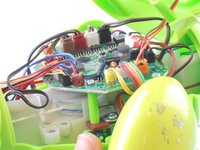
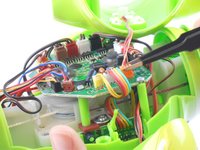
      • Disconnect the wire that connects the back cover of the dino to the main circuit board by carefully pulling on the orange wire connector with tweezers.

      • Remove back cover.

      • If you are having difficulty removing the connector from its socket, push in the small tabs on the side of the connector with the tweezers. This step may take some work.

      • Do not damage the wires or circuit board.

      询问修复机器人

      添加评论

    1. Zoomer Dino Boomer Back Button Replacement, Back Button: 步骤 4 中的图像 1,1
      • Where the button is largest, squeeze the two white tabs together.

      询问修复机器人

      添加评论

    2. Zoomer Dino Boomer Back Button Replacement: 步骤 5 中的图像 1,1
      • Push in the white circular piece between these tabs as far as it will go.

      询问修复机器人

      添加评论

    3. Zoomer Dino Boomer Back Button Replacement: 步骤 6 中的图像 1,2 Zoomer Dino Boomer Back Button Replacement: 步骤 6 中的图像 2,2
      • Where the button is smallest, squeeze the two white tabs together and press the circular tab in-between them until the button comes loose.

      • Remove the back button.

      询问修复机器人

      添加评论

结论

To reassemble your device, follow these instructions in reverse order.

取消:我没有完成这个指南。

团队

USF Tampa, Team 16-1, Wollert Fall 2015 USF Tampa, Team 16-1, Wollert Fall 2015 的会员

USFT-WOLLERT-F15S16G1

3 名成员

创作了10篇指南

0指南评论

添加评论

浏览统计数据:

过去 24 小时: 5

过去 7 天: 18

过去 30 天: 46

总计 2,563