跳转到主内容
加入维修社区 - 创建账户

ZTE Grand X Max Plus Camera Replacement

你所需要的

    1. ZTE Grand X Max Plus Camera Replacement, Back Cover: 步骤 1 中的图像 1,1
      • Make sure you turn off your phone before starting.

      • Heat the phone using a heating pad, heat gun, or hair dryer to loosen the glue. You just need to heat the back of the phone.

      • You can also use a hair dryer or a heating gun for this step.

      添加评论

    2. ZTE Grand X Max Plus Camera Replacement: 步骤 2 中的图像 1,2 ZTE Grand X Max Plus Camera Replacement: 步骤 2 中的图像 2,2
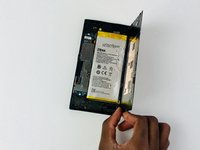
      • After the phone is heated, use the blue plastic opening tool on both sides of the phone.

      • Don't apply too much pressure because the cover can crack easily.

      • To avoid that your cover cracks, you can add tape to back cover.

      • You can use a suction cup to help remove the battery.

      询问修复机器人

      添加评论

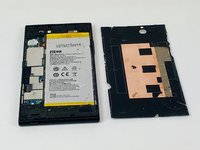
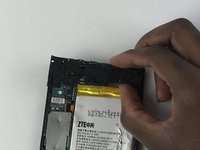
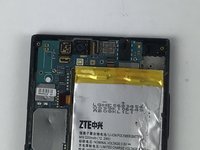
    3. ZTE Grand X Max Plus Camera Replacement: 步骤 3 中的图像 1,2 ZTE Grand X Max Plus Camera Replacement: 步骤 3 中的图像 2,2
      • Carefully remove the cover from the phone.

      添加评论

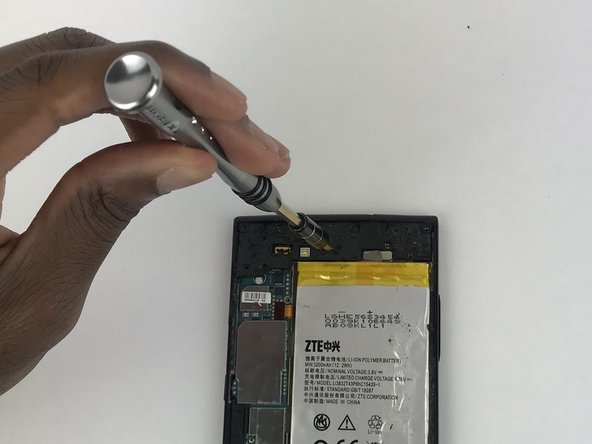
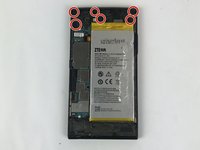
    1. ZTE Grand X Max Plus Camera Replacement, Rear Camera: 步骤 4 中的图像 1,2 ZTE Grand X Max Plus Camera Replacement, Rear Camera: 步骤 4 中的图像 2,2
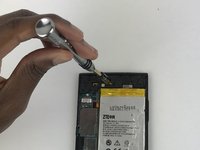
      • Remove the screws from the upper part of the phone using a screwdriver with a JIS #000 head. There are (6) six screws that should be removed.

      询问修复机器人

      添加评论

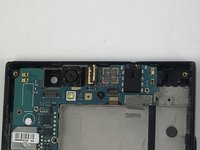
    2. ZTE Grand X Max Plus Camera Replacement: 步骤 5 中的图像 1,3 ZTE Grand X Max Plus Camera Replacement: 步骤 5 中的图像 2,3 ZTE Grand X Max Plus Camera Replacement: 步骤 5 中的图像 3,3
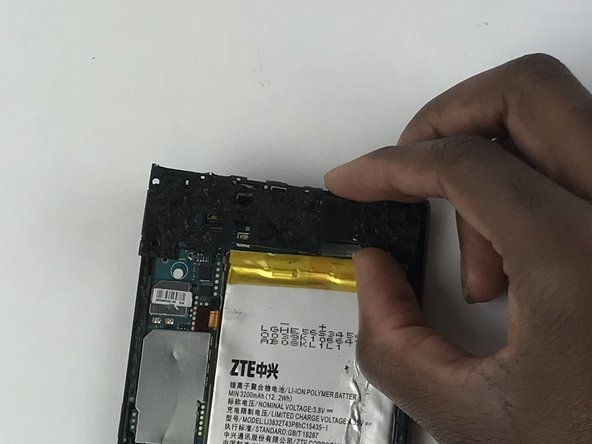
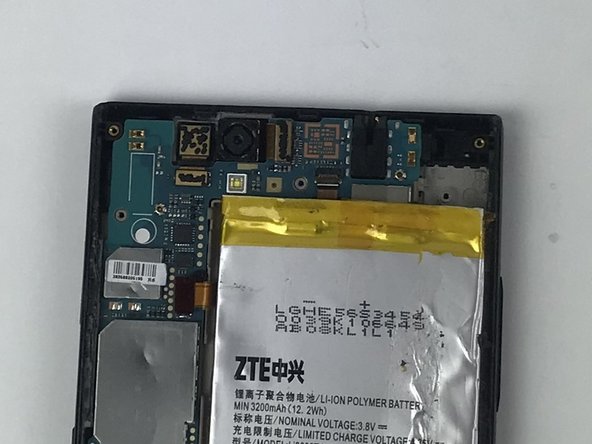
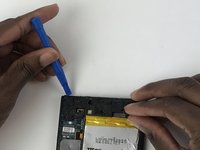
      • Use a plastic opening tool to remove the plastic piece that is protecting the motherboard.

      询问修复机器人

      添加评论

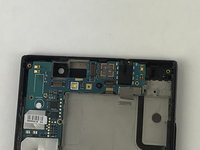
    3. ZTE Grand X Max Plus Camera Replacement: 步骤 6 中的图像 1,1
      • With a plastic opening tool, unclip the camera from the motherboard.

      询问修复机器人

      添加评论

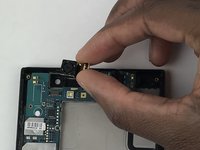
    4. ZTE Grand X Max Plus Camera Replacement: 步骤 7 中的图像 1,3 ZTE Grand X Max Plus Camera Replacement: 步骤 7 中的图像 2,3 ZTE Grand X Max Plus Camera Replacement: 步骤 7 中的图像 3,3
      • After the camera is unclipped, remove it from the device.

      询问修复机器人

      添加评论

结论

To reassemble your device, follow these instructions in reverse order.

取消:我没有完成这个指南。

团队

USF Tampa, Team S9-G4, Remmell Fall 2017 USF Tampa, Team S9-G4, Remmell Fall 2017 的会员

USFT-REMMELL-F17S9G4

4 名成员

创作了45篇指南

0指南评论

添加评论

浏览统计数据:

过去 24 小时: 1

过去 7 天: 5

过去 30 天: 39

总计 436