简介
This guide is designed to explain how to replace the battery in the ZD-N208 Plus Wireless Controller. The Z-DN Plus contains a rechargeable lithium polymer battery, which generally can be found online or in electronic stores. They retail for around $20 USD. The guide will outline how to disconnect the battery from the controller in order to replace it with a new battery. Note, if you are having trouble starting your controller it is suggested that you attempt other troubleshooting options to find potential issues before replacing the battery, as your troubles may not be caused by a broken battery.
你所需要的

 询问修复机器人


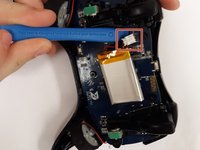
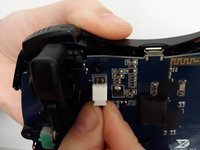


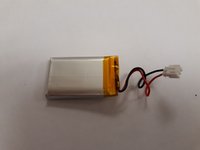
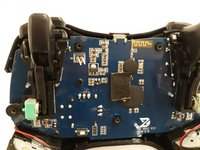
To reassemble your device, follow these instructions in reverse order.

团队

Grand Valley State University, Team S4-G1, DeVasto Fall 2019 Grand Valley State University, Team S4-G1, DeVasto Fall 2019 的会员
GVSU-DEVASTO-F19S4G1
4 名成员
创作了7篇指南
